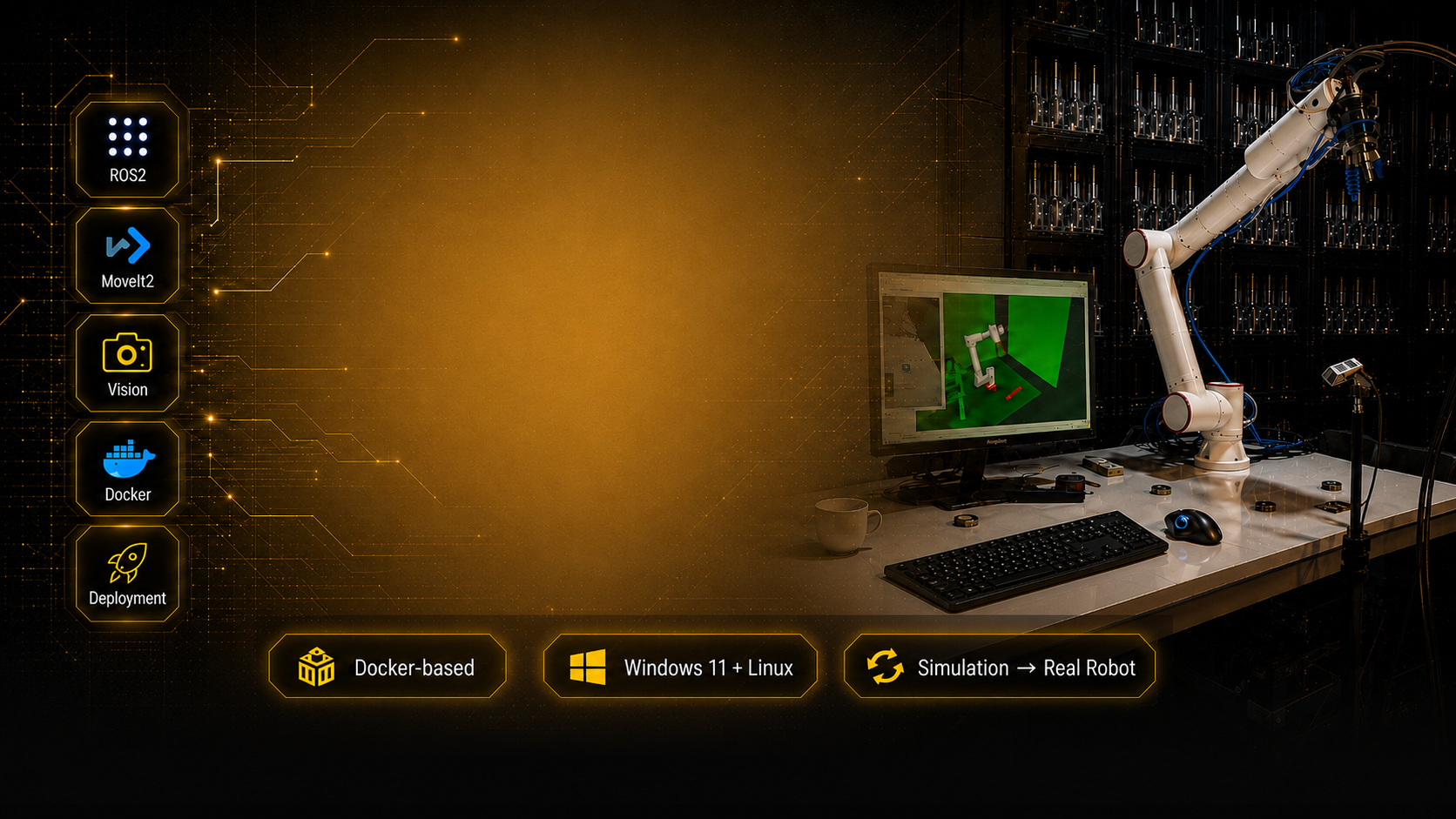
THE SIMULATION-TO-REALITY GAP
A Working Simulation Is Not Yet a Deployable Robot Application
Simulation allows you to validate the robot model, motion planning, control architecture, perception logic, and task workflow in a safe and repeatable environment.
But real hardware introduces a new layer of engineering problems.
Robot drivers must communicate with a physical controller. Coordinate frames must match the real workcell. Cameras must be calibrated. Perception data becomes noisy. End effectors require real interfaces. Motion tolerances, execution errors, recovery logic, and safety constraints can no longer be ignored.
Most ROS2 learning paths stop before this transition.
The Full Track takes you through the complete process—from the first Docker-based workcell to a real vision-guided manipulation application.
You do not start from hardware and hope that everything works.
You first build a complete software architecture in simulation, understand every layer, and then deploy it systematically.
A WORKING LAB, NOT JUST A COURSE
The Product Is the Complete Robotics Lab
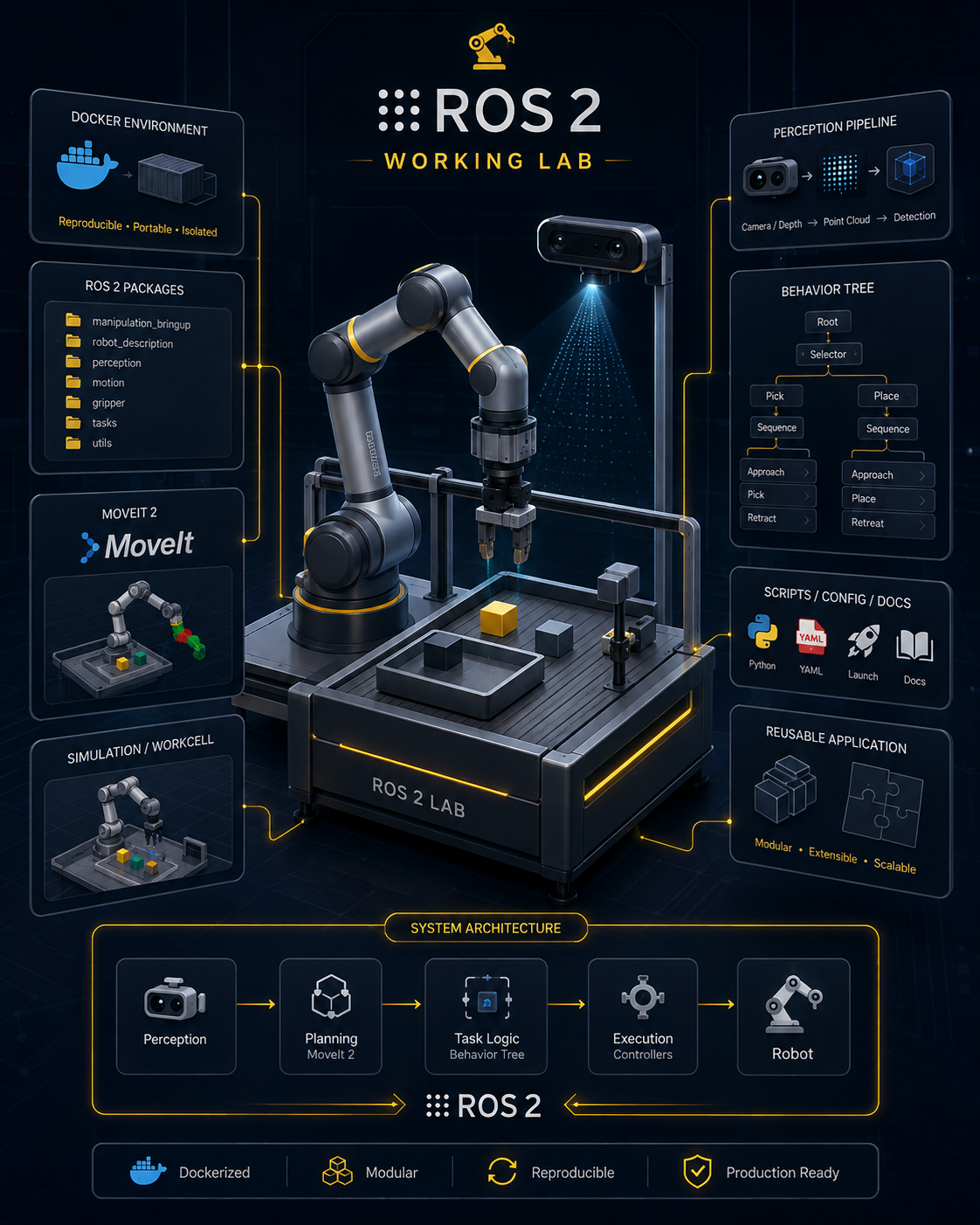
The Industrial ROS2 Manipulation Lab is a complete development environment, application architecture, and reference implementation for industrial robot manipulation.
You receive the Docker infrastructure, simulated workcell, ROS2 packages, robot models, MoveIt2 configuration, perception pipeline, application runtime, deployment resources, scripts, configuration files, and documentation.
The lessons do not replace the Lab.
They guide you through it.
You begin with a complete application that already works. You then move backwards through the architecture, understand every layer, modify individual components, and progressively adapt the reference implementation to your own robot or task.
Inside the Lab, industrial_bt_framework provides the reusable application layer that coordinates perception, motion planning, manipulation actions, task execution, and recovery logic.
THE APPLICATION RUNTIME INSIDE THE LAB
Meet industrial_bt_framework
industrial_bt_framework is a reusable, robot-agnostic ROS2 framework designed to structure complete robot applications around Behavior Trees.
Instead of embedding the complete application logic inside robot-specific nodes or disconnected scripts, the framework separates high-level behaviour from the underlying robot, perception, motion-planning, and hardware layers.
It provides a structured runtime for connecting:
• Perception results and object poses
• Motion-planning and manipulation actions
• Gripper and end-effector commands
• Task sequencing and decision logic
• Execution feedback and application status
• Retries, fallbacks, and recovery behaviours
• Application-level interfaces
The robot-specific layers execute motion and communicate with hardware.
industrial_bt_framework sits above them and turns those capabilities into a structured and scalable robot application.
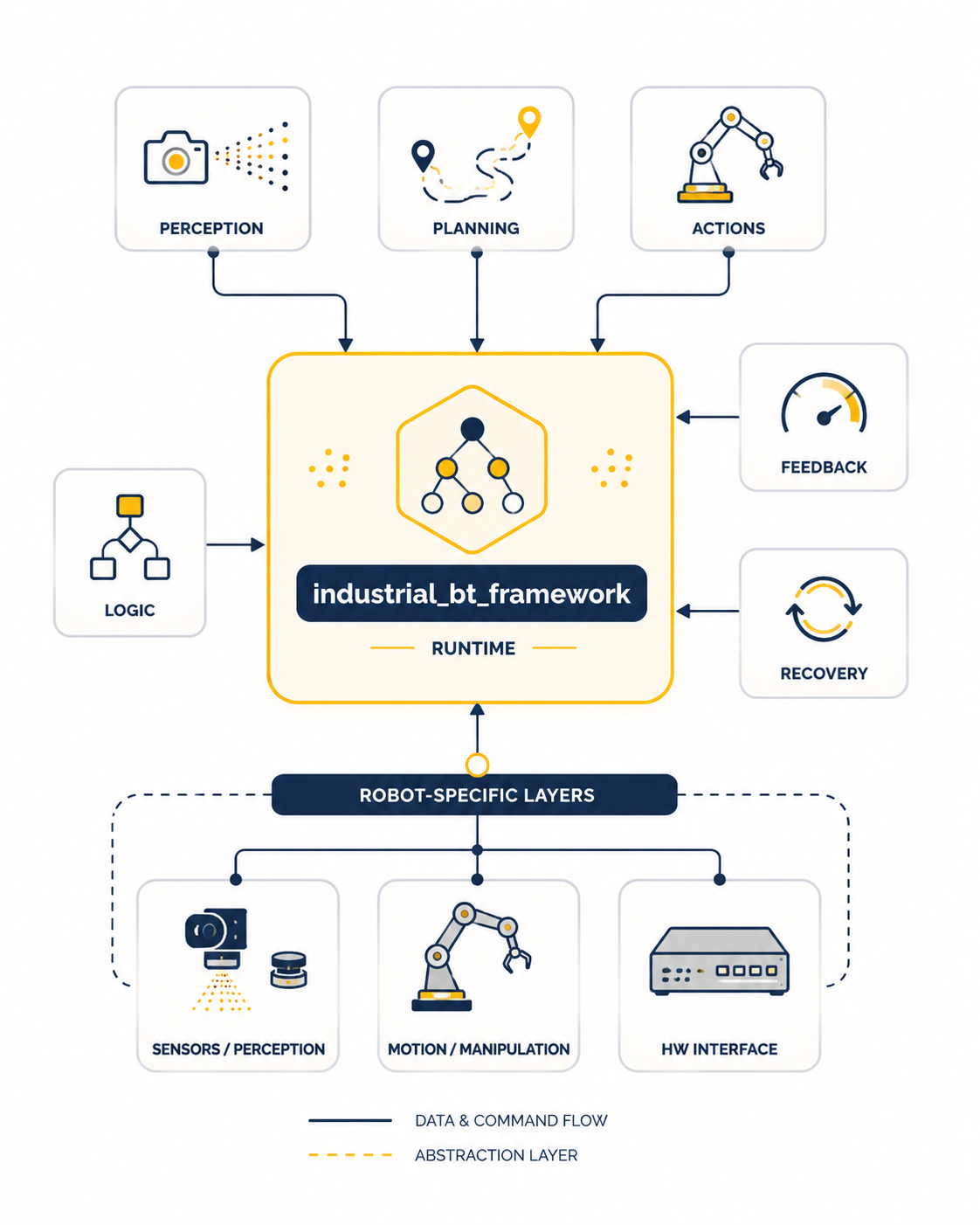
The same application architecture can be reused across different robots by adapting the drivers, MoveIt2 configuration, hardware interfaces, and robot-specific action implementations.
The Lab gives you the complete system.
industrial_bt_framework gives you the reusable application layer for building beyond the Lab.
WHAT YOU WILL BE ABLE TO DO
Build and Deploy Complete ROS2 Manipulation Applications
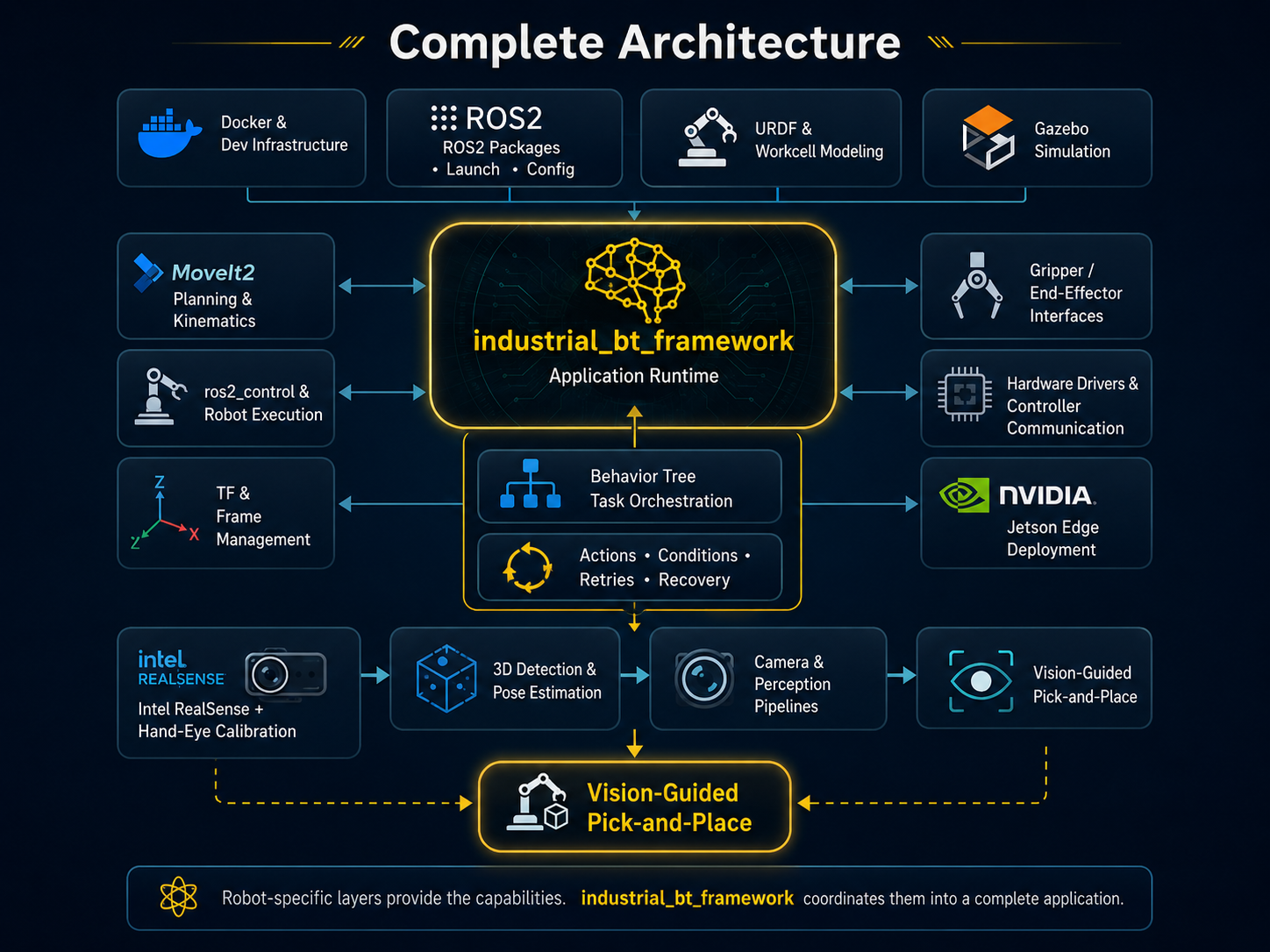
By the end of the Full Track, you will understand both sides of the engineering process: how to build and validate the application in simulation, and how to adapt the same architecture to real hardware.
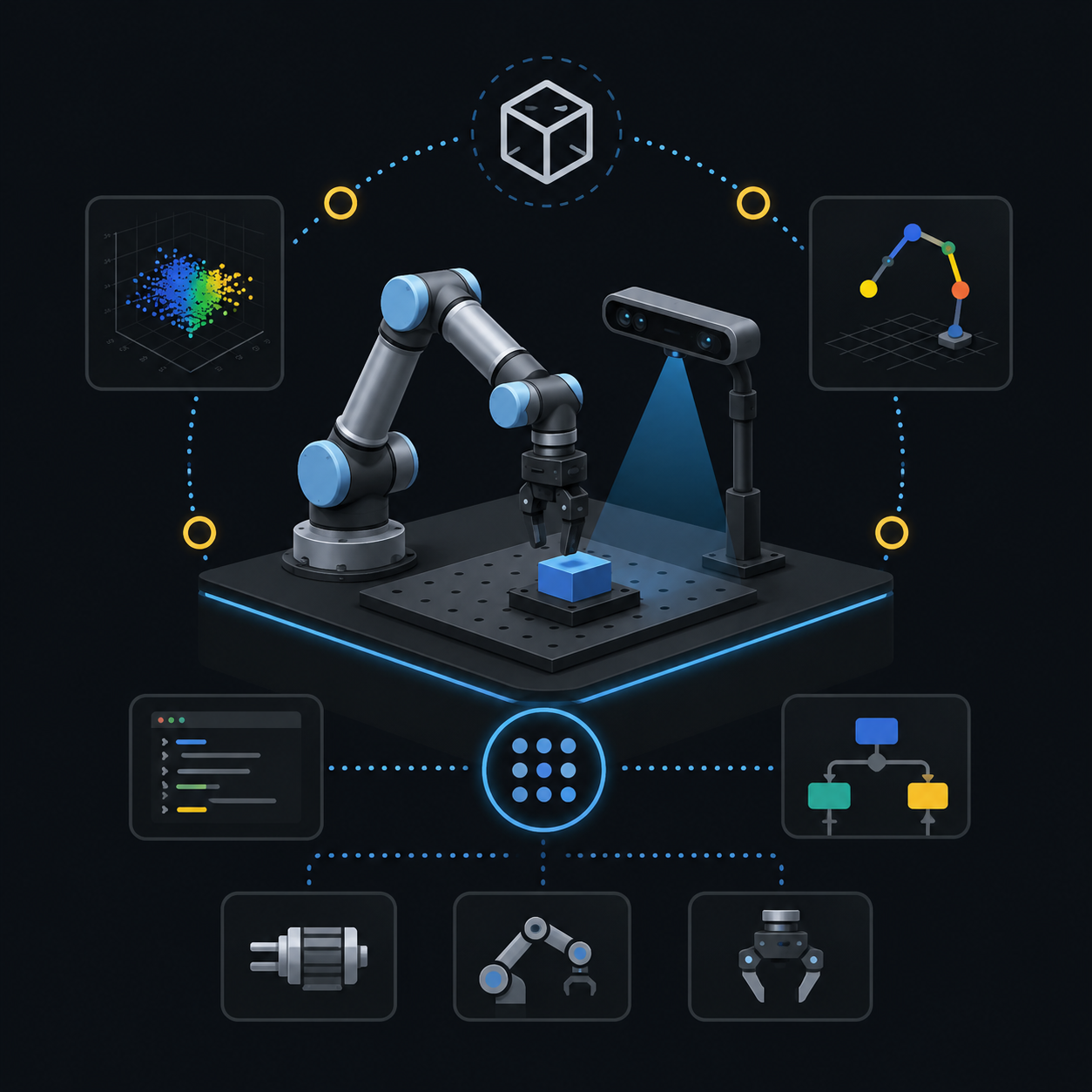
Run a Complete ROS2 Workcell
Build and launch the Docker-based environment with Gazebo, RViz, MoveIt2, ros2_control, the robot, gripper, camera, and application nodes working together.
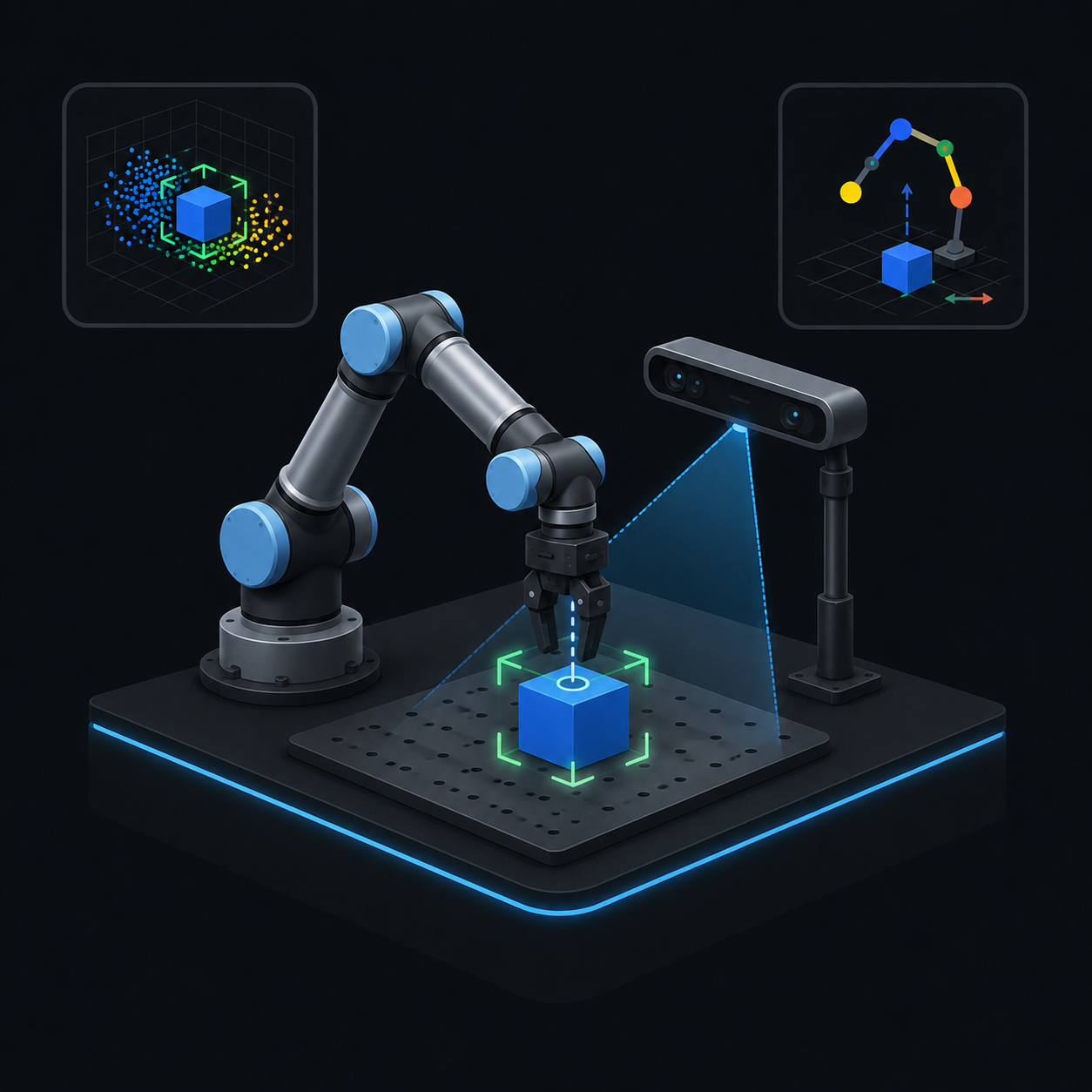
Develop Vision-Guided Manipulation
Build blind and vision-guided pick-and-place workflows combining motion planning, grasping, perception, transforms, task sequencing, and recovery logic.
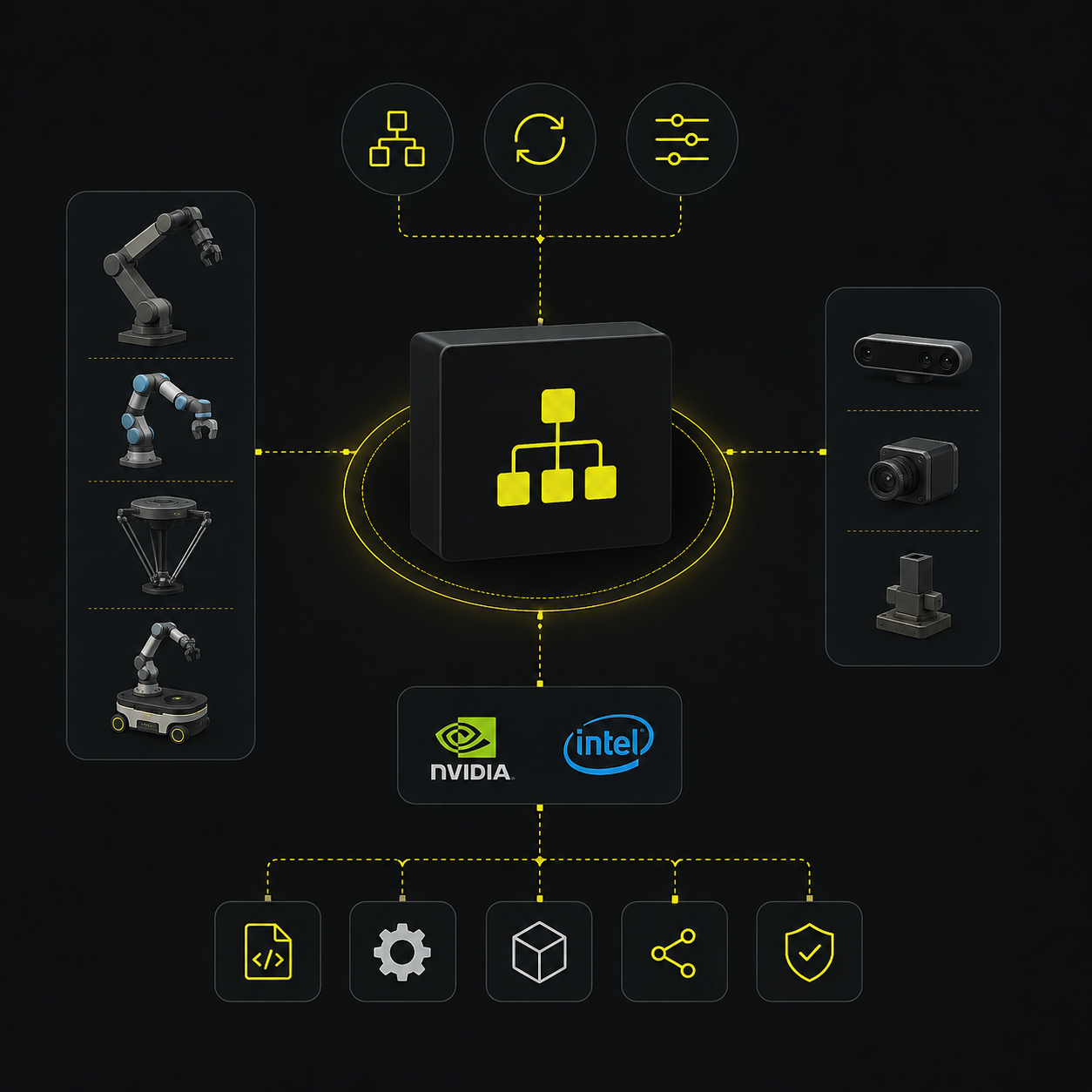
Build with a Robot-Agnostic Runtime
Use industrial_bt_framework to separate application behaviour from robot-specific implementation and coordinate perception, manipulation actions, execution feedback, and recovery logic.
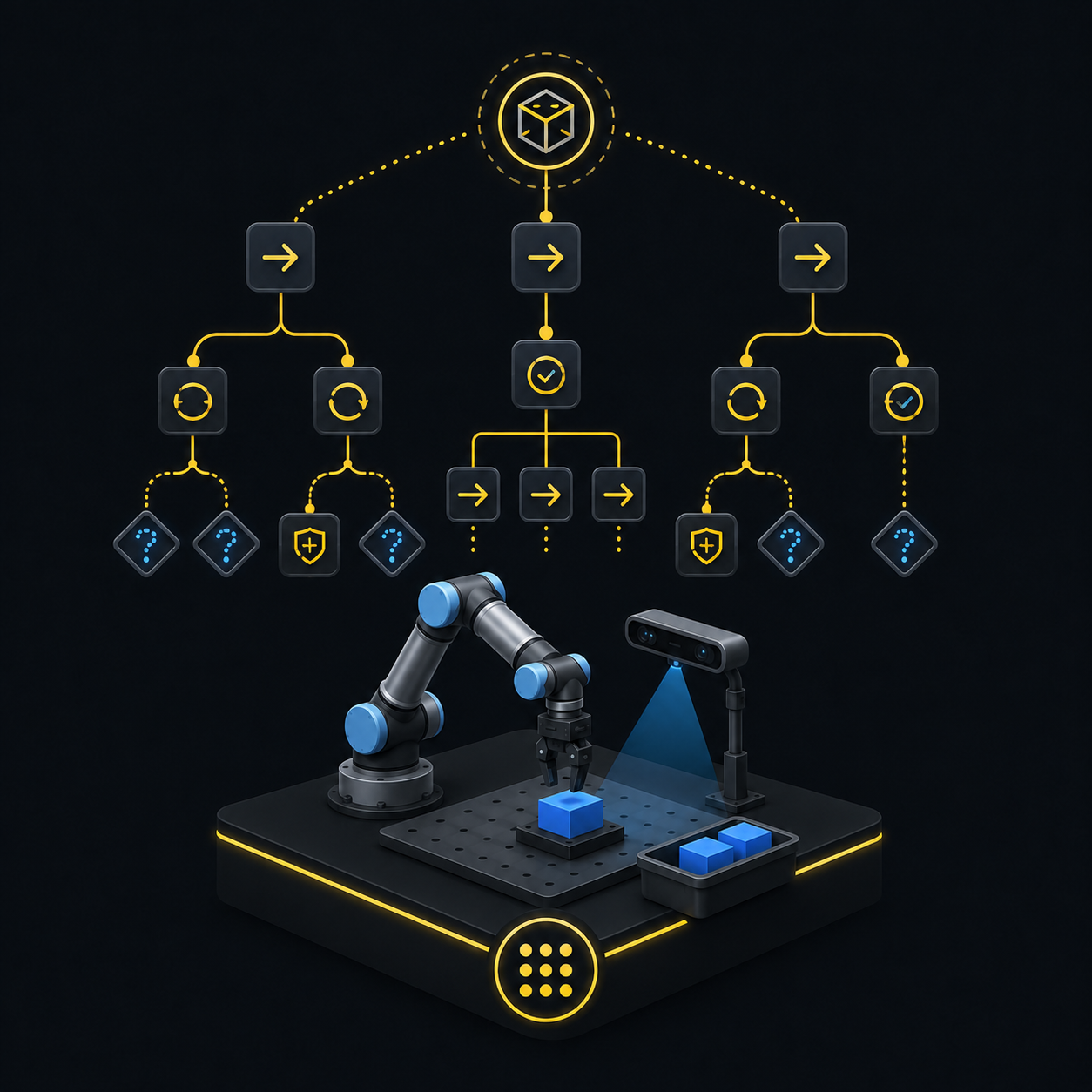
Design Scalable Behavior Tree Applications
Create task trees using modular actions, conditions, retries, fallbacks, and recovery branches instead of hard-coding the process inside one monolithic ROS2 node.
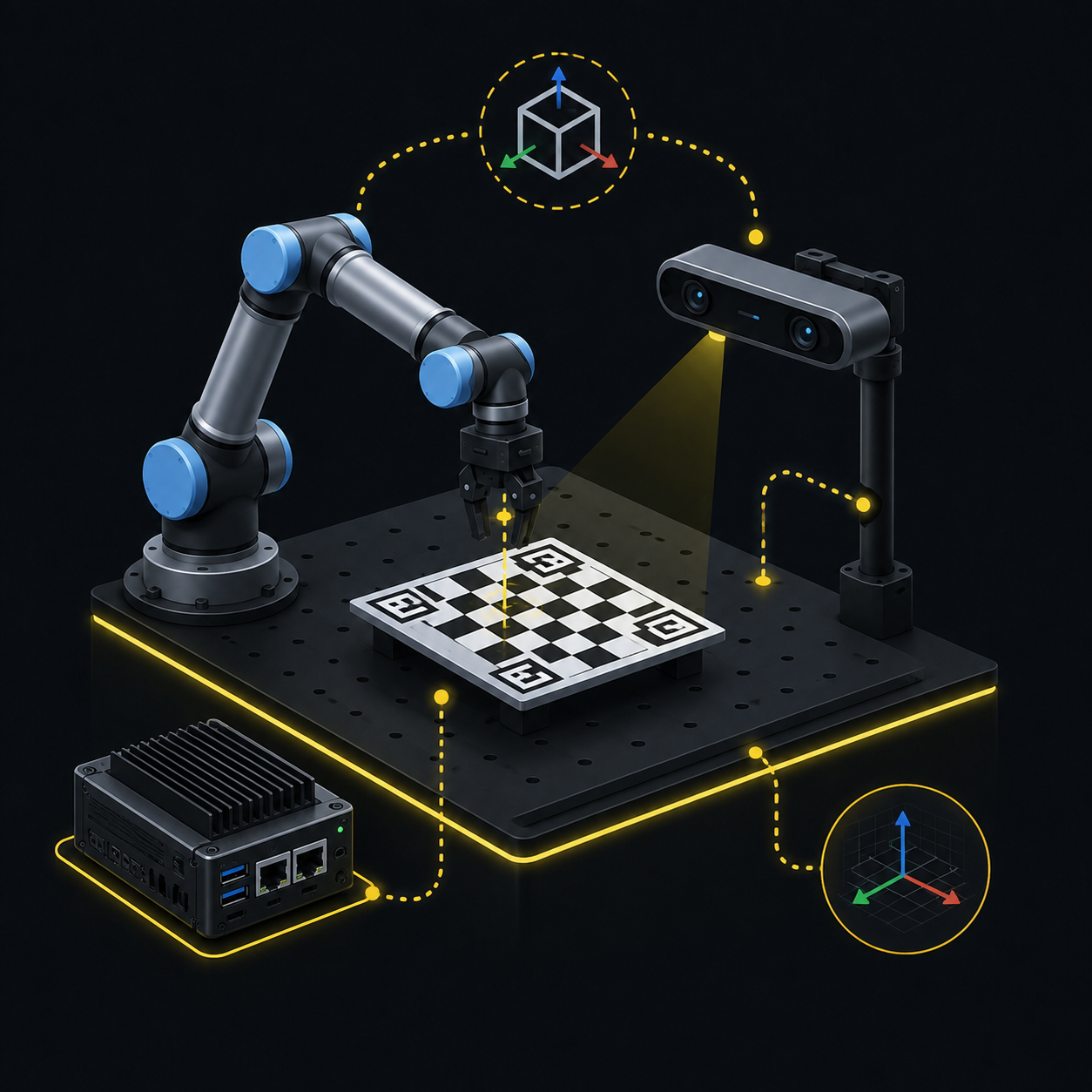
Integrate and Calibrate Real Hardware
Connect a real robot, end effector, Jetson, and depth camera through ROS2 drivers, hardware interfaces, TF management, and hand-eye calibration.
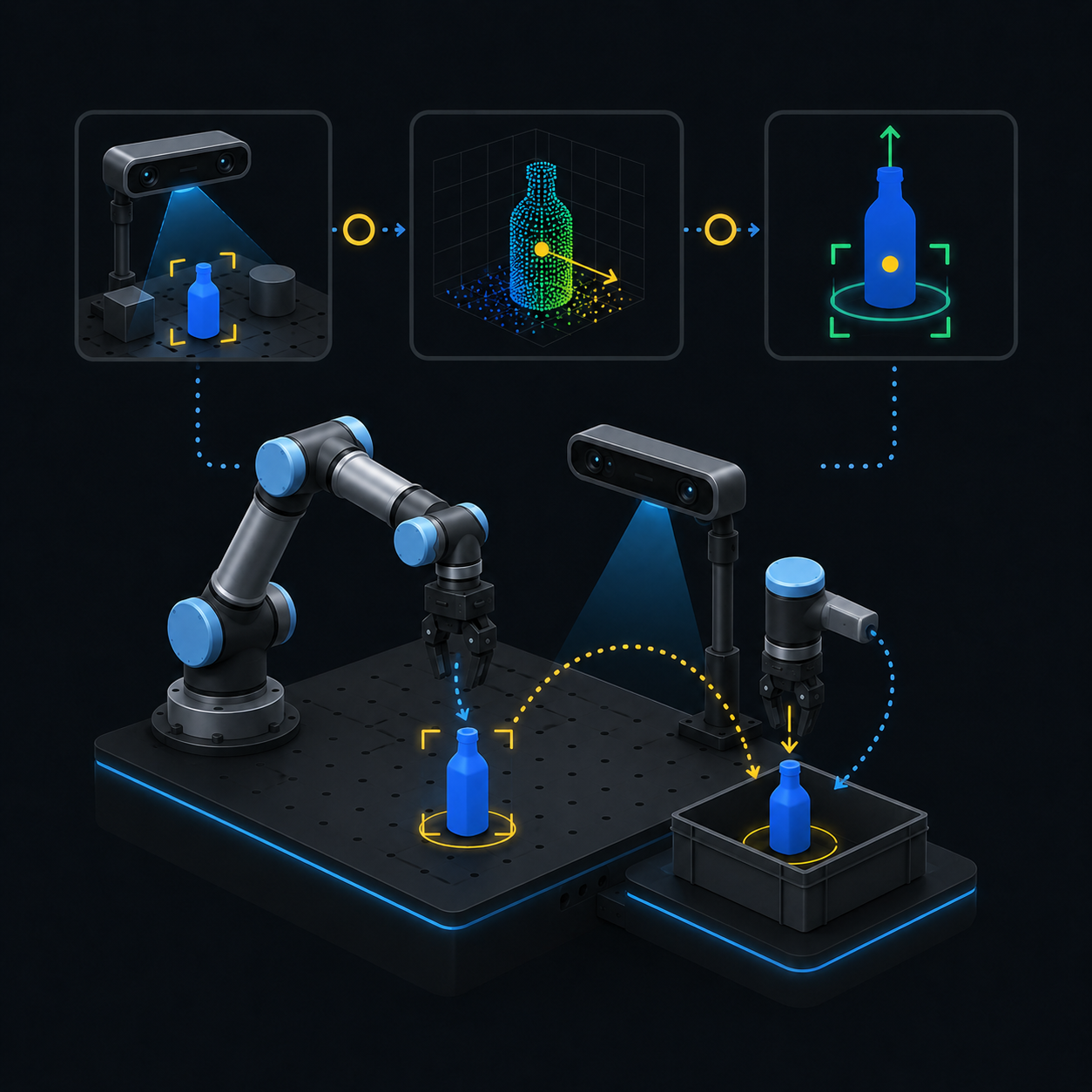
Execute Real Perception-to-Action Tasks
Convert real perception results into usable object poses and validate the complete vision-guided manipulation pipeline on physical hardware.
You will leave the Full Track with a complete reference application, a reusable application runtime, and a repeatable engineering workflow from simulation to reality.
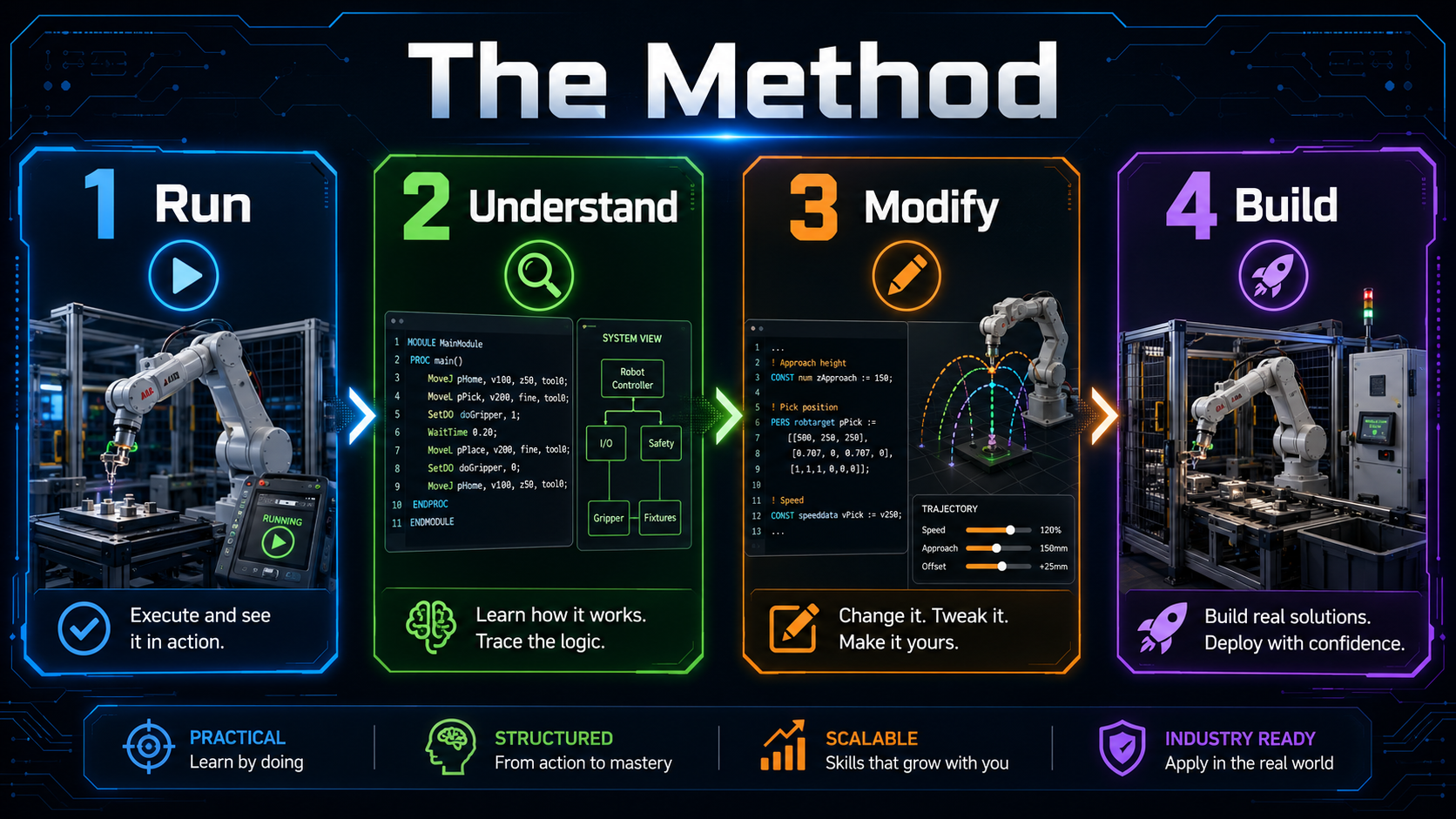
THE COMPLETE SIMULATION-TO-REAL PATH
From Environment Setup to Real Vision-Guided Manipulation
The Full Track follows one complete application from the first environment checks to real-hardware deployment.
You will build and understand the same architecture across Modules 00–09, including industrial_bt_framework and its role as the reusable application layer.
The elective modules then show you how the same principles apply to ROS1 concepts, custom robot and URDF integration, and an additional xArm6 + LLM application.
- Welcome to the Industrial ROS2 Manipulation Lab (20:05)
- Request Access to Your Private GitHub Repository
- Keeping the Lab Updated
- What Problem This Lab Solves
- What You Will Build
- How to Use This Course
- Install Docker Desktop WSL2 and VS Code on Windows 11
- Install Docker and VS Code on Ubuntu 22.04
- Clone the Repository and Run lab doctor
- Launch Your First Demo
- Troubleshooting GUI Docker Volumes
- How These ROS2 Concepts Are Used in the Lab
- Differences Between ROS and ROS2 (10:51)
- ROS and ROS2 Distributions
- Create a ROS2 Workspace (9:19)
- Create a C++ Package and Node (37:39)
- Topic Publisher/Subscriber in C++ (37:30)
- Create a Python Package and Node (30:00)
- Topic Publisher/Subscriber in Python (21:47)
- Create a Custom Interface (11:47)
- Create a Service in Python (15:38)
- Create a Service in C++ (17:55)
- ROS2 Parameters (29:57)
- Create a Launch File (30:50)
- You Do Not Need to Understand Docker First
- Why Docker for Robotics (22:32)
- What Is Docker Under the Hood (13:19)
- How to Run a Container (17:45)
- Volumes: Making Data Persistent (19:26)
- GUI Applications in Docker (12:43)
- Multi-Container Robotics with Docker Compose (33:59)
- Using Docker in VS Code (13:31)
- Common Docker Commands Cheatsheet
- Get the GitHub Repo if you are Running Locally in Ubuntu 22.04 and Use MoveIt Setup Assistant
- The Anatomy of a Blind Pick-and-Place Cycle
- Run Pick-and-Place with the UR5 and the Robotiq (8:26)
- Collision Objects, and the Planning Scene (23:37)
- Upgrading the MoveIt Config for Industrial Planners
- Cartesian Motion: Commanding the HOW (30:20)
- Choose Your Planner: PTP, LIN, and the Trap Pilz Sets
- Checkpoint: What Is Still Fragile
- How to Study This Module Without Owning the Hardware
- Simulation to Reality — Building a Real Industrial Pipeline (9:06)
- Setup Communication Between PC and Robot Controller (8:22)
- Understanding the Robot Driver Layer (26:54)
- Create a Bridge Between MoveIt and the Robot Controller (33:50)
- Gripper Hardware Setup (6:54)
- Bridging Digital Outputs to ROS2 Gripper Control (20:54)
- Adding a Gripper and Camera to the FR3WML (18:17)
- Designing a Real ROS2 Robot Architecture with MoveIt (12:21)
- Integrating a Gripper into MoveIt (47:59)
- Control Robot Speed from ROS2 and MoveIt (24:33)
- Move the Real Robot with MoveIt Inverse Kinematics (22:42)
- Jetson Orin Nano Setup for RealSense Streaming (31:24)
- From Camera Streaming to Local AI Inference (29:47)
- Create the Inference Container on Jetson (21:44)
- 3D Pose Estimation with YOLO and RealSense (17:56)
- Handling Real Images Noise and 3D Pose Publishing (17:29)
- 6D Pose Estimation with YOLO and RealSense (36:21)
- Industrial Pick and Place Framework Bottle and Crate (29:08)
- From Monolithic Code to an Industrial Behavior Tree Framework (28:41)
- Camera Hand-Eye Calibration: From Simulation to Real (15:30)
- From Blind to Vision-Driven Pick-Place (Bin Picking) (19:17)
- Optimizing the Pick-and-Place: Speed, Smooth Motion, and Architecture (13:46)
- What You Have Built in the Full Stack Robotics Program
- Introduction to URDF (7:41)
- Strategy: Modelling a Robot Nobody Has Modelled (8:20)
- Your First Links and Joints, From Primitives (12:48)
- Visualize the Robot in RViz (13:44)
- Joint State and Robot State Publisher (10:24)
- Complete the 6-Axis Arm (19:59)
- Simplify the Model With Xacro Macros (15:05)
- Model a Gripper as End Effector (22:56)
- Make Your Packages Portable
- Inertias That Do Not Wreck the Simulation (22:01)
- The Gazebo Plugin and the ros2_control Seam (14:12)
- Spawn Your Robot in Gazebo
- ROS2 Control: Joint Group Position Controller (54:23)
- ROS2 Control: Gripper Action Controller (16:20)
- ROS2 Control: Joint Trajectory Controller (12:20)
- Send trajectory_msgs from a C++ Script (11:43)
- Create a MoveIt2 Configuration Package (55:40)
- Interface MoveIt2 with Gazebo (18:24)
- Pick-and-Place with a Custom Robot (30:27)
- Creating the ROS2 Workspace & Cloning xarm_ros2 (12:02)
- Building the Custom Package my_xarm6: Robot, World, and Camera Setup (63:25)
- Creating the my_xarm6_app Package: First Motion Node (26:46)
- CNC Motion Node: Drawing Circles and Squares with Constant Orientation (37:50)
- Blind Pick and Place: Fixed Object Positions (29:03)
- Vision Integration with OpenCV: Depth Reconstruction via Intrinsics (38:33)
- Vision-Based Pick and Place + Custom Service Definition (35:17)
- Introduction to Ollama and LLM Integration (12:17)
- LLM Task Pipeline: Designing the Action-Oriented Architecture and System Prompt engineering (55:45)
- LLM-Driven Pick and Place: Updating System Prompt + Vision + Motion Integration (45:48)
- Test Robotics Tasks with LLM Ollama integrated in ROS2 (21:26)
- General Task LLM: Unified Prompt and Full Robot Commanding (CNC, pick place with vision, end effector control) (24:59)
One application. Increasing levels of complexity. A complete path from simulation to reality.
WHAT IS INCLUDED
Everything You Need to Build and Deploy the Complete Lab
The Full Track combines the complete robotics application, its reusable runtime, all source code, the guided curriculum, and the resources required to move from simulation to real deployment.
Full Private GitHub Repository
Access the complete simulation and deployment source code, ROS2 packages, scripts, configuration files, hardware integration material, and elective projects.
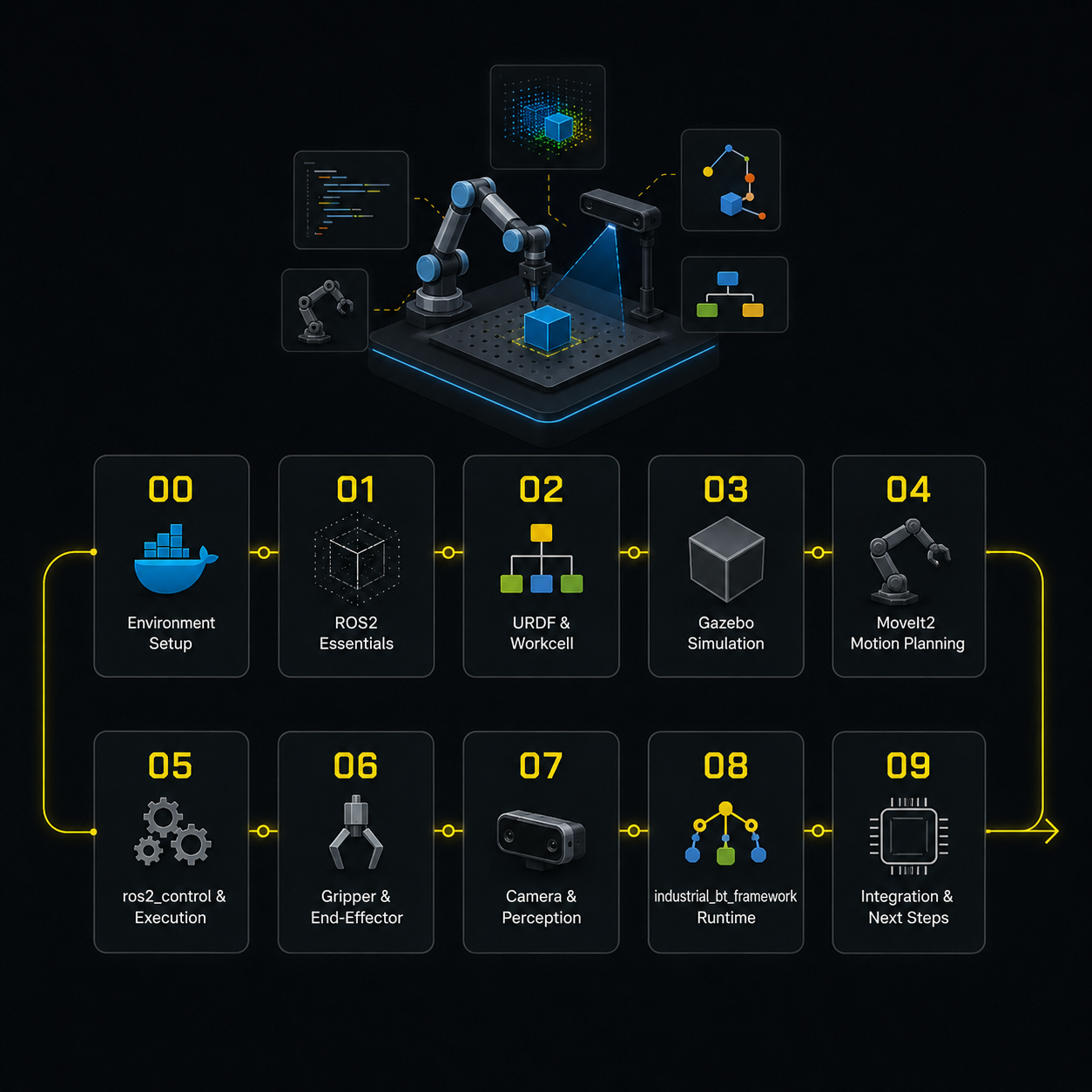
Complete Modules 00–09
Follow the full project-based path from environment setup and simulation to perception, Behavior Trees, calibration, hardware interfaces, and real execution.
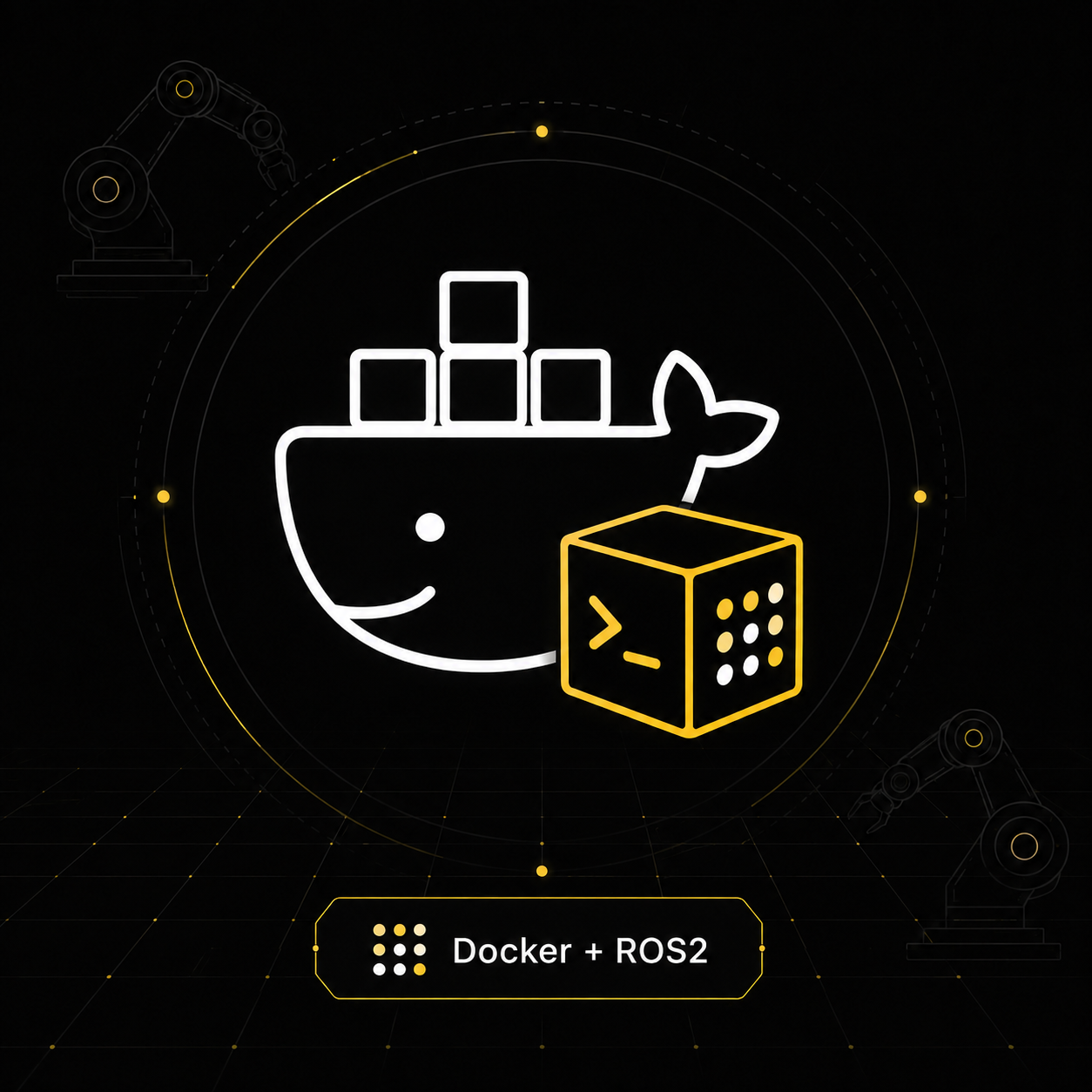
Docker-Based Simulation Environment
Run ROS2 Humble, Gazebo, RViz, MoveIt2, ros2_control, the robot, gripper, camera, perception pipeline, and application components inside a reproducible environment.
industrial_bt_framework Source Code
Access the complete robot-agnostic application runtime, including Behavior Tree architecture, reusable actions and conditions, application interfaces, execution logic, and recovery patterns.
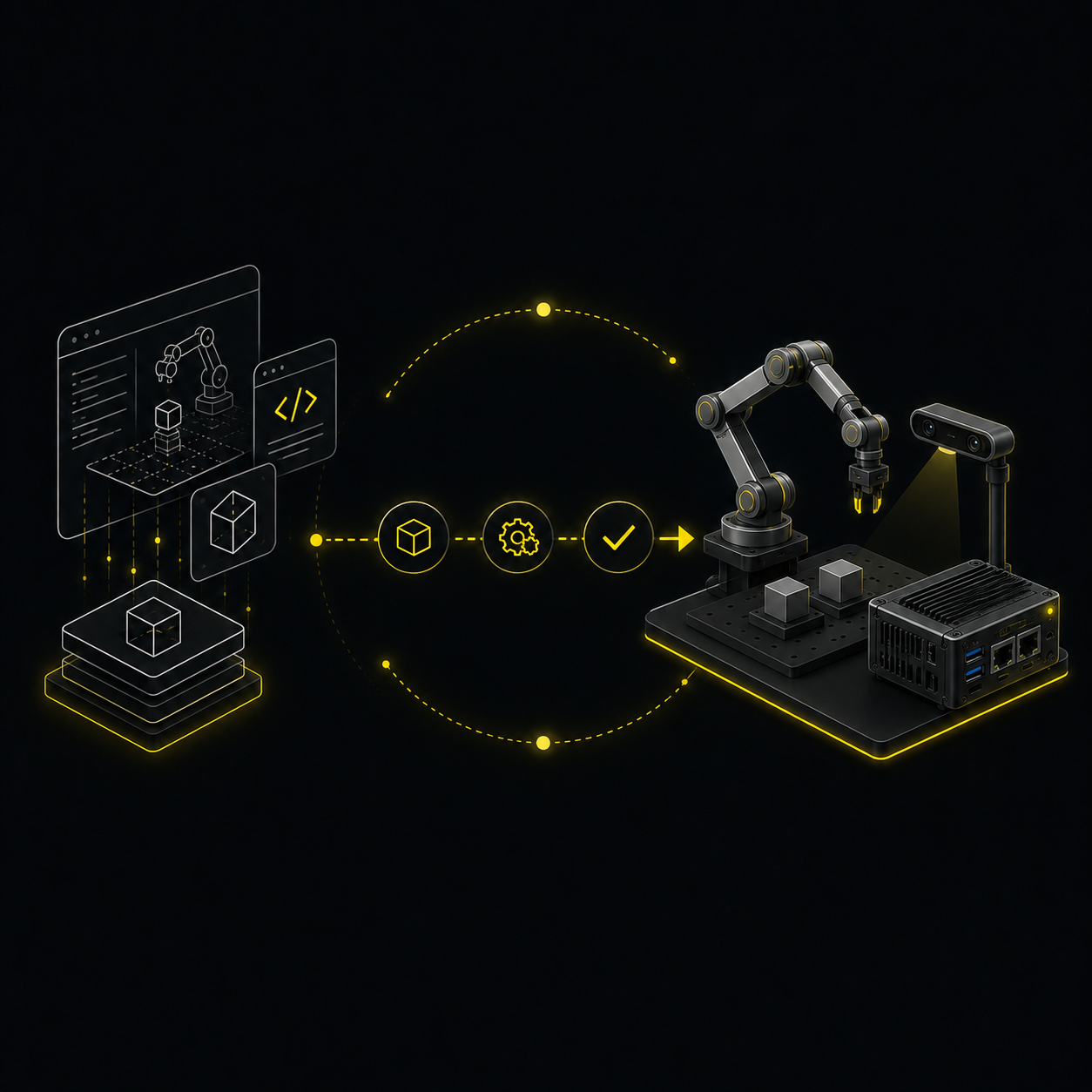
Real-Hardware Deployment Path
Integrate a real robot, end effector, NVIDIA Jetson, Intel RealSense camera, drivers, transforms, calibration, perception, and real-world execution.
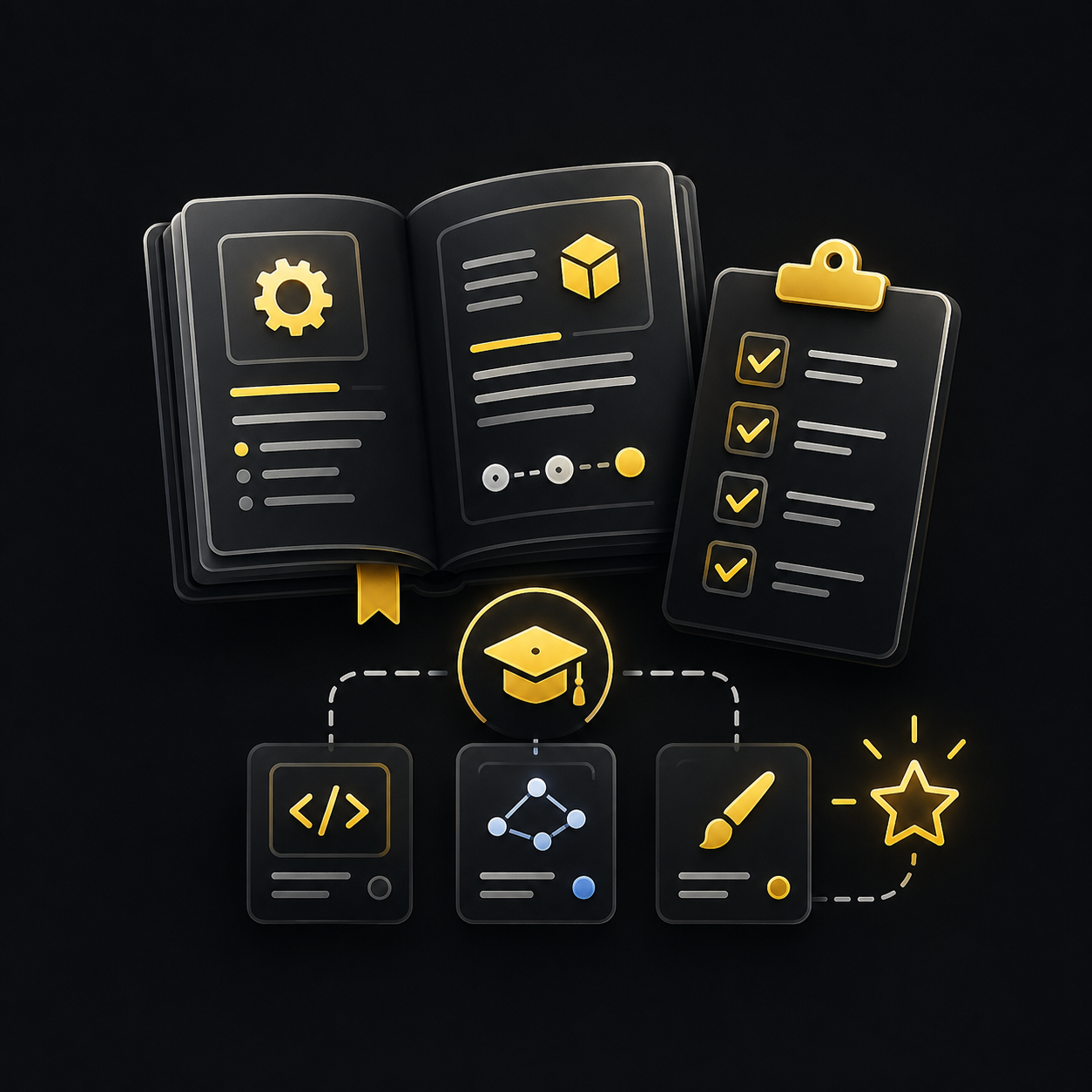
Practice Workspace, Guides and Electives
Experiment safely in your own workspace and use the setup, troubleshooting, calibration, deployment, ROS1, custom robot/URDF, and xArm6 + LLM resources.
Robotics hardware is not included.
The framework provided is robot agnostic, however, of you want to use the same hardware used in the Fill Track program contact ros.master.ai@gmial.com with object: Hardware Request
WHO THE FULL TRACK IS FOR
Built for Learners Who Want the Complete Engineering Path
The Full Track is designed for people who want to understand not only how a ROS2 manipulation application works in simulation, but also how a reusable application runtime and the underlying software layers reach real hardware.
This Is for You If You:
• Are a robotics, automation, mechatronics, computer science, or engineering student
• Want to move beyond isolated ROS2 tutorials
• Want to build both simulated and real robot applications
• Need a complete reference architecture for industrial manipulation
• Want to learn how industrial_bt_framework structures scalable robot behaviour
• Want practical experience with MoveIt2, ros2_control, perception, Behavior Trees, Jetson, and RealSense
• Have access to real robotics hardware or plan to acquire it
• Want to prepare for robotics software engineering, research, system integration, or industrial automation roles
This Is Not for You If You:
• Want only a theoretical introduction to ROS2
• Expect every robot model to work without driver or integration changes
• Expect robotics hardware to be included
• Want a no-code platform
• Are unwilling to use terminal commands, Git, Docker, Linux, and source code
• Expect private one-to-one engineering services to be included
• Want to skip simulation and immediately test unvalidated code on real hardware
• Are not prepared to experiment, debug, calibrate, and adapt the reference implementation
You do not need to be an expert before starting.
You should be comfortable following technical instructions, reading basic code, and learning through practical experimentation.
BEFORE YOU DEPLOY
What You Need for the Simulation and Real-Hardware Paths
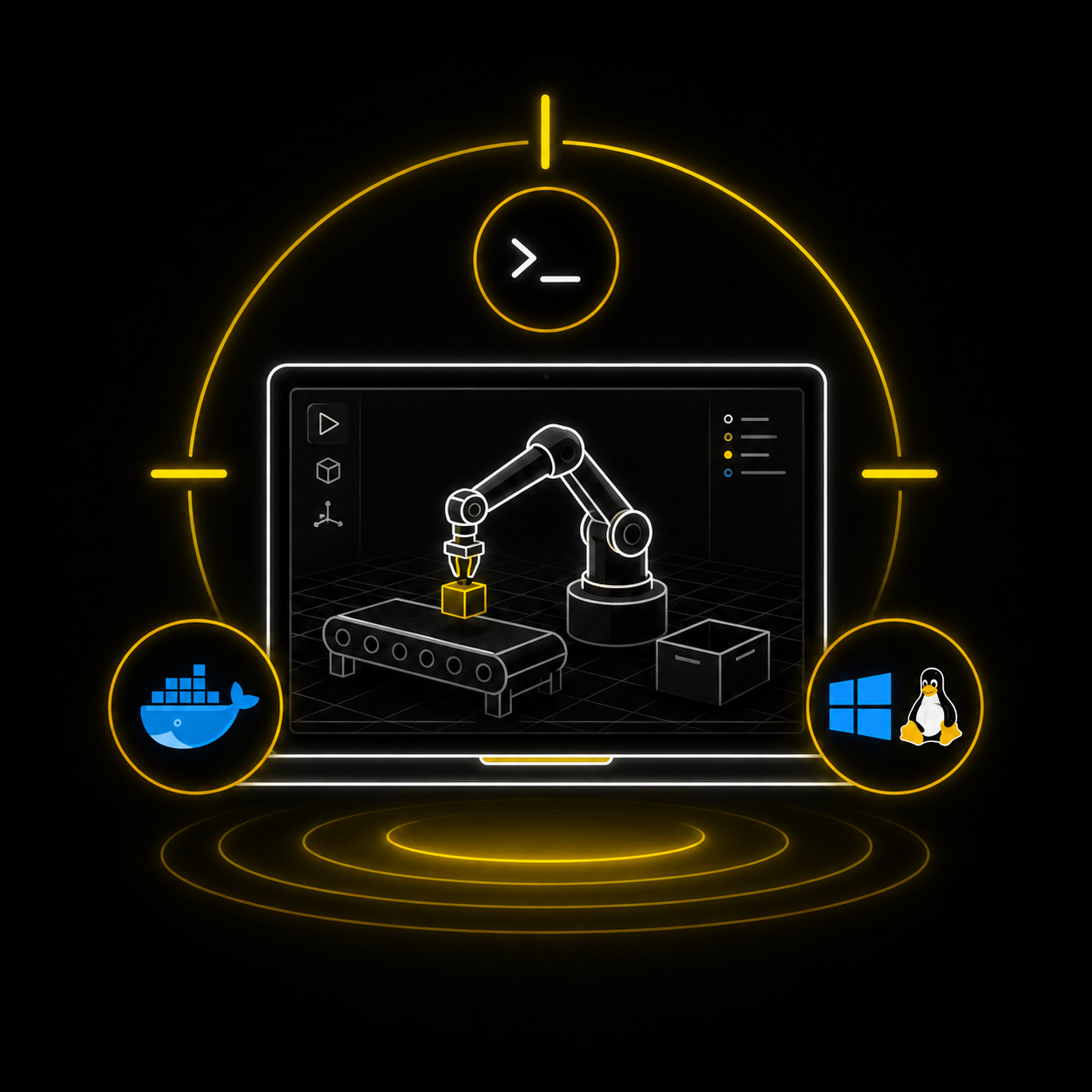
Simulation Environment
• Windows 11 with WSL2 or Ubuntu 22.04
• Docker Desktop on Windows or Docker on Ubuntu
• Visual Studio Code
• Git
• GitHub account
• Sufficient disk space and memory to run the workcell
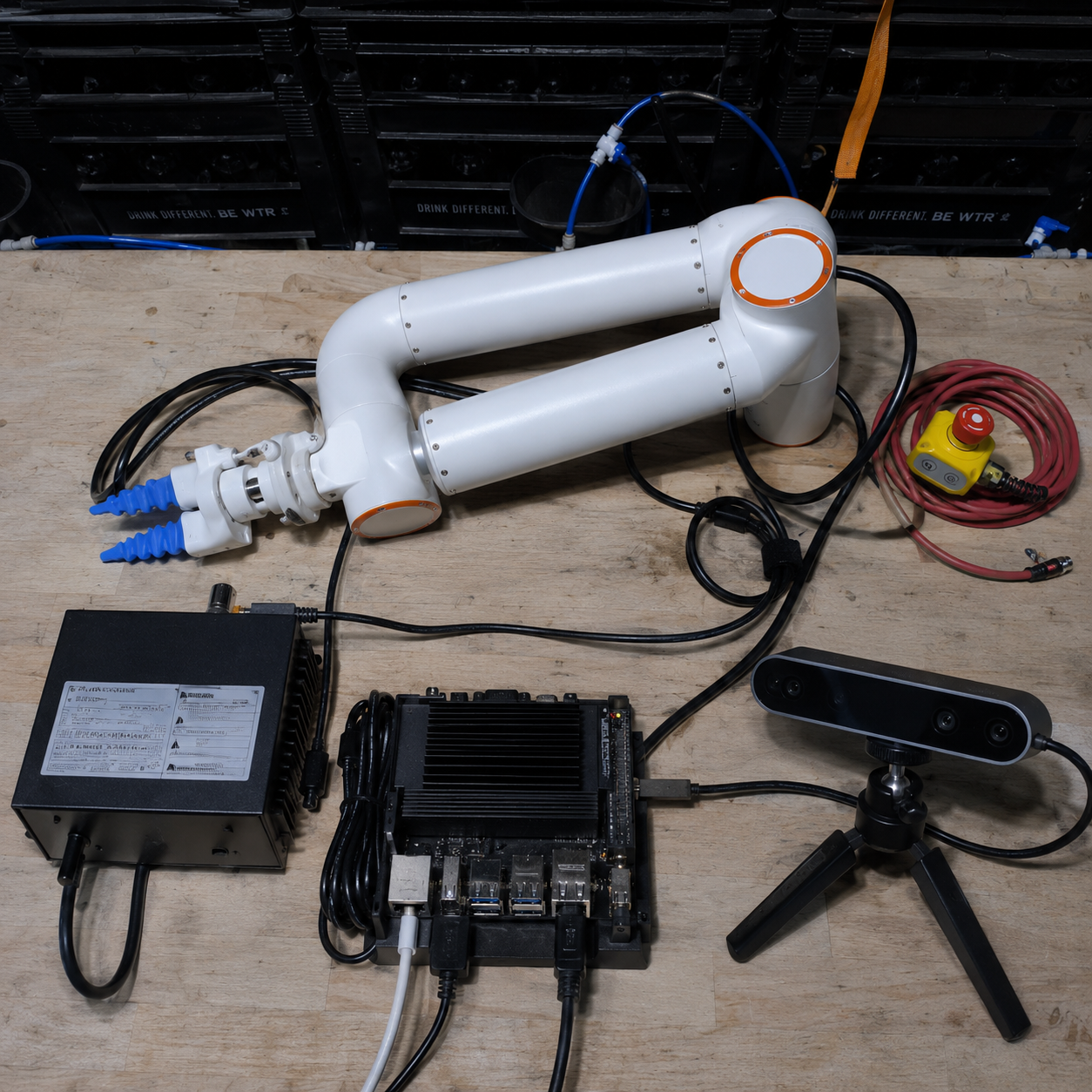
Reference Real-Hardware Setup
• Compatible 6-axis robot or collaborative robot
• ROS2-compatible robot driver
• Controllable end effector
• NVIDIA Jetson or equivalent edge computer
• Intel RealSense or equivalent depth camera
• Ubuntu 22.04 and ROS2 Humble
• Safe and supervised testing environment
The architecture and industrial_bt_framework application layer are designed to be reusable, but each robot still requires compatible drivers, descriptions, MoveIt2 configuration, hardware interfaces, and robot-specific adapters.
The reference implementation does not guarantee plug-and-play compatibility with every robot manufacturer or controller.
Reference Hardware Configuration
The Full Track is designed to be as robot- and hardware-agnostic as possible.
The reference setup uses:
• Fairino FR3WML
• SoftGripper with suction cup
• Jetson Orin Nano with NVMe
• Intel RealSense D455
• Industrial switch and required cables
To request the same hardware setup, email ros.master.ai@gmail.com with the subject Hardware Request.
Hardware, shipping, installation, and integration are supplied separately and quoted on request.
Robotics hardware is not included.
Already enrolled in the Simulation Track? Use the private upgrade instructions provided inside your course.
FAQ
What is industrial_bt_framework?
industrial_bt_framework is the reusable ROS2 application runtime used inside the Lab.
It organizes robot tasks through Behavior Trees and connects perception, motion planning, manipulation actions, gripper commands, execution feedback, retries, and recovery logic at the application layer.
It is designed to remain independent from one specific robot, while robot drivers, hardware interfaces, MoveIt2 configuration, and low-level implementations remain hardware-specific.
Can I use industrial_bt_framework in my own project?
Yes.
The Full Track shows you how the framework is used inside the reference application and how to create or adapt actions, conditions, interfaces, and task trees for your own manipulation workflow.
You remain responsible for integrating and validating the robot-specific and hardware-specific layers required by your project.
Do I need to install ROS2?
The simulation environment runs inside Docker, so no native ROS2 installation is required for Modules 00–08.
For Module 09 and real-hardware deployment, Ubuntu 22.04 with ROS2 Humble installed locally is the recommended reference environment.
Do I need a real robot?
You can complete the simulation path without owning hardware.
To validate Module 09 on physical hardware, you need access to a compatible robot, end effector, edge computer, depth camera, and safe testing environment.
Is the hardware included?
No.
The Full Track includes the software, repositories, lessons, reference architecture, industrial_bt_framework, configuration examples, setup guides, calibration workflow, and deployment resources.
The robot, end effector, Jetson, camera, fixtures, and other hardware components are not included.
If you want to use the same hardware of the Full Track contact ros.master.ai@gmail.com for quotation
Will the deployment work with any robot?
The application architecture and industrial_bt_framework are designed to be reusable, but every robot requires compatible drivers and robot-specific integration.
The reference implementation does not guarantee plug-and-play compatibility with every manufacturer or controller.
What prior knowledge is required?
You do not need advanced professional experience in ROS2 manipulation.
You should understand the basic purpose of ROS or ROS2, be comfortable using terminal commands and Git, and be willing to read, test, and modify source code.
How do I receive repository access?
After enrolling, complete the GitHub access request inside Module 00 using your purchase email and exact GitHub username.
Requests are reviewed manually and are normally processed within 24 hours.
Is this a subscription?
No.
The one-time option consists of one €349 payment.
The four-payment option is a fixed plan of four monthly payments of €99. It automatically ends after the fourth payment and does not renew.
Is one-to-one support included?
No private one-to-one engineering support is included.
The Full Track is self-paced and includes the complete repository, structured lessons, application framework, setup and deployment guides, troubleshooting resources, and community access.
READY TO COMPLETE THE FULL PATH?
Build the Application in Simulation.
Deploy It in the Real World.
Start from a working ROS2 manipulation lab, understand every software layer, use industrial_bt_framework to build scalable robot behaviour, and take the same application architecture to real hardware.