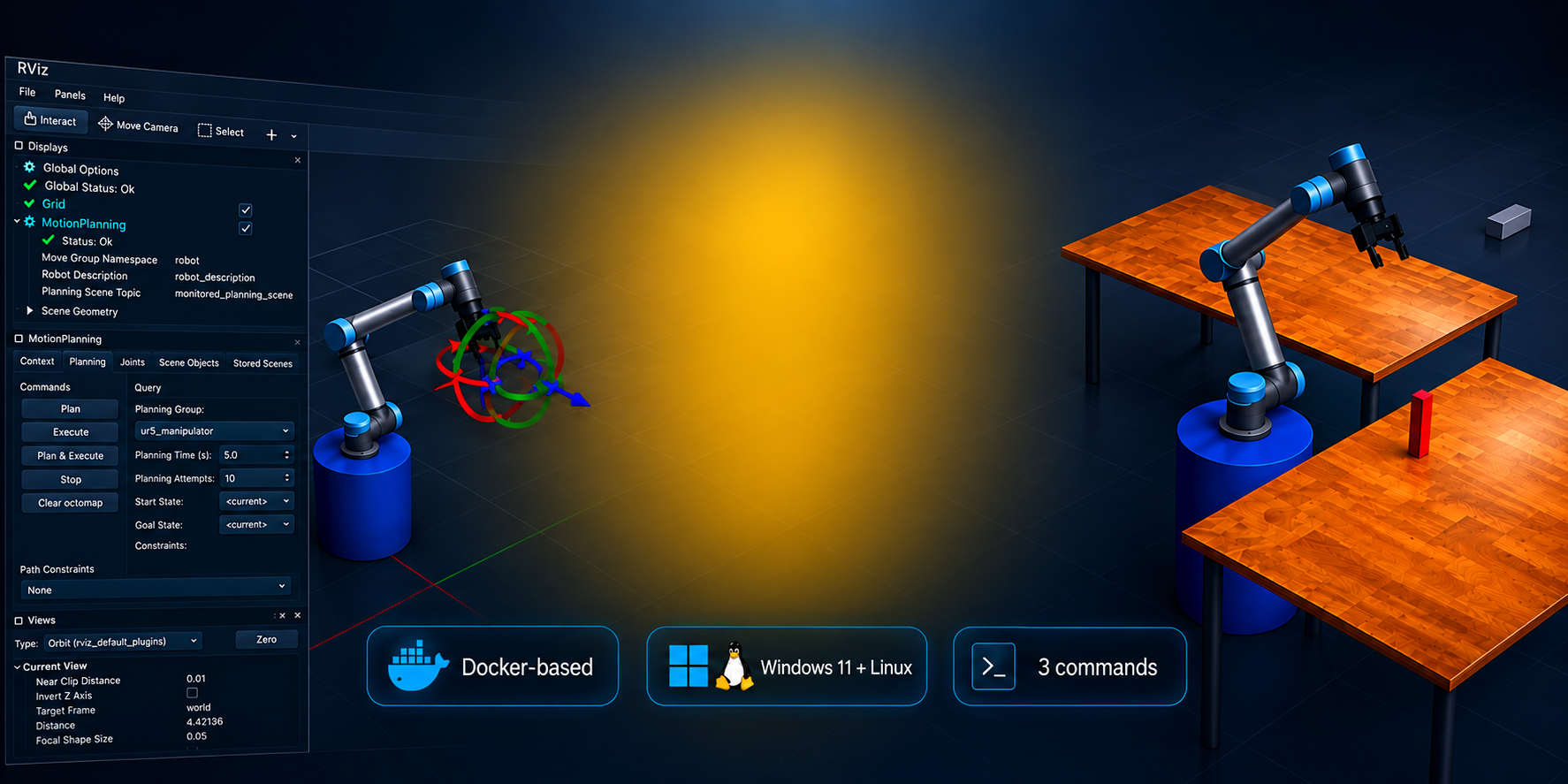
WHY MOST ROS2 LEARNING PATHS BREAK DOWN
Learning ROS2 Concepts Is Not the Same as Building a Complete Robot Application
You can understand nodes, topics, services, actions, TF, URDF, MoveIt2, and ros2_control individually—and still feel completely blocked when you try to combine them into one working robotic system.
Most ROS2 tutorials are designed around isolated examples.
One tutorial explains how to create a publisher and subscriber. Another shows how to load a robot model. Another demonstrates motion planning. Another introduces perception.
Each example may work on its own, but the real difficulty begins when you need to connect all these pieces inside a complete manipulation application.
At that point, you are no longer dealing with a single ROS2 concept.
You need to make the robot description, controllers, simulation, motion planning, transforms, gripper interfaces, perception pipeline, task logic, launch files, configuration files, and Docker environment work together as one coherent system.
Pain Points
You start losing time on problems such as:
- Which package should contain each part of the application?
- How should MoveIt2 communicate with ros2_control?
- How should the simulated robot, gripper, camera, and planning scene be launched together?
- Where should perception results enter the manipulation pipeline?
- How should transforms be organised and debugged?
- How do you move from a manually triggered motion to a complete pick-and-place sequence?
- How should the application be structured so that it can later evolve toward real hardware?
- How do you reproduce the same environment on another computer without rebuilding everything from scratch?
This is where many learners remain stuck in “tutorial mode.” They can reproduce individual demonstrations, but they do not yet have a complete reference architecture showing how an industrial ROS2 manipulation application is actually organised.
The problem is not that you need another isolated ROS2 tutorial. You need a complete working system that you can run first, study layer by layer, modify safely, and use as the foundation for your own robotics projects. That is exactly what the Industrial ROS2 Manipulation Lab provides.
MORE THAN AN ONLINE COURSE
The Product Is the Lab.
The Lessons Teach You How to Use It.
The Industrial ROS2 Manipulation Lab is not simply a collection of videos, slides, or disconnected coding exercises.
It is a working Docker-based robotics application, delivered through a private GitHub repository, together with a structured learning path that shows you how to run it, understand its architecture, modify its components, and extend it into your own manipulation projects.
You do not start from an empty workspace.
You start from a complete system that already runs.
A Complete Robotics Development Environment on Your Computer
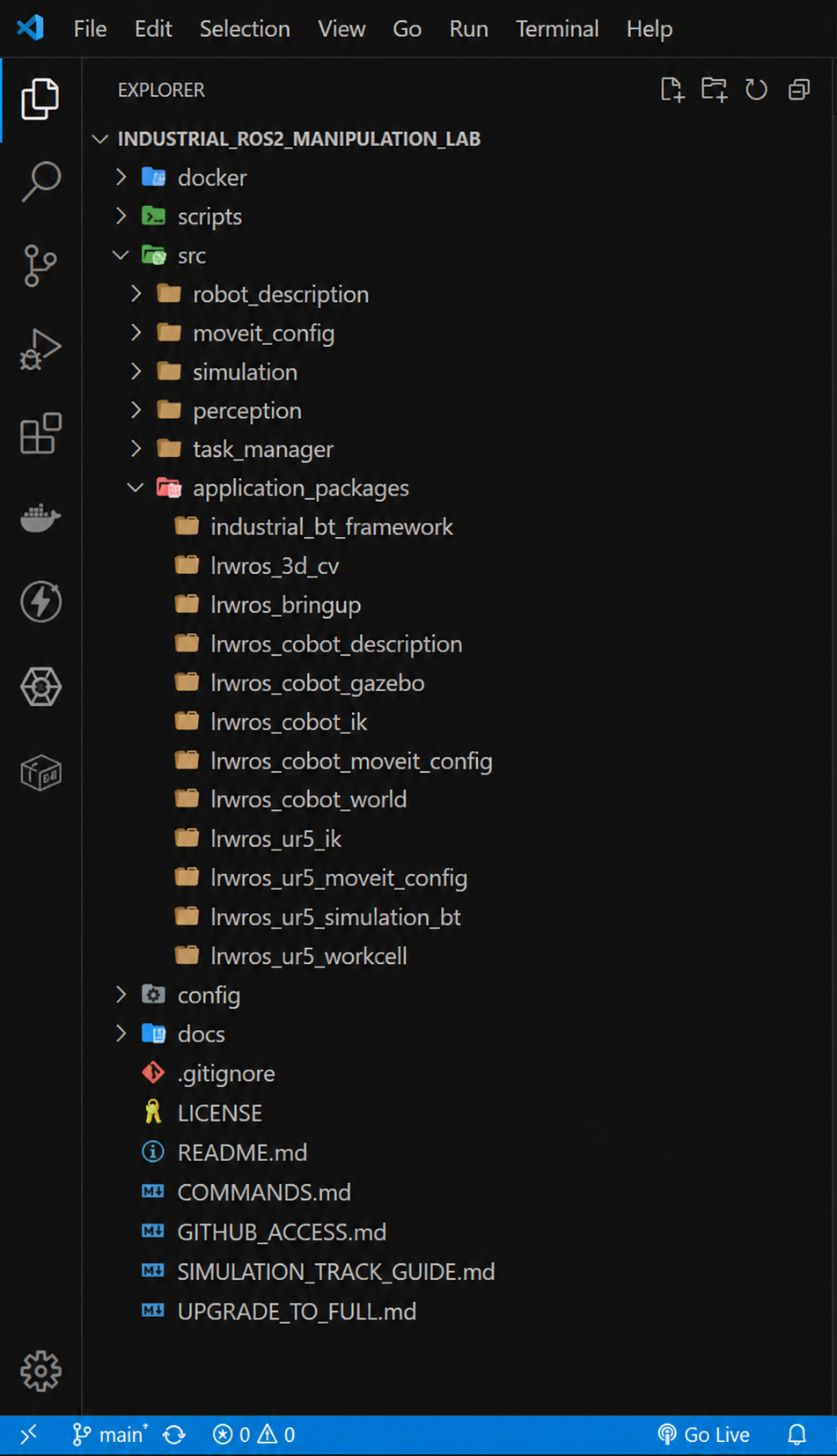
After purchasing the Simulation Track, you receive access to the private Industrial ROS2 Manipulation Lab repository. The repository contains the Docker infrastructure, ROS2 packages, launch files, configuration files, robot models, simulation assets, perception components, task logic, scripts, and documentation required to run the complete application on your computer. You can clone the repository, build the environment, launch the workcell, inspect the source code, and follow the same project structure throughout the entire learning path. Inside the lab, you will work with:
• A Docker-based ROS2 Humble environment
• A complete UR5 and Robotiq manipulation workcell
• Gazebo simulation and ros2_control
• RViz and MoveIt2 motion planning • Robot description and TF architecture
• Gripper and application interfaces
• Blind pick-and-place workflows
• Camera-based perception
• Vision-guided manipulation
• Behavior Tree task orchestration
• Practice projects and a final capstone application
The lessons do not replace the lab. They guide you through it. You will first see the system working, then move backwards through the architecture to understand how every package, configuration file, interface, and application layer contributes to the final result.
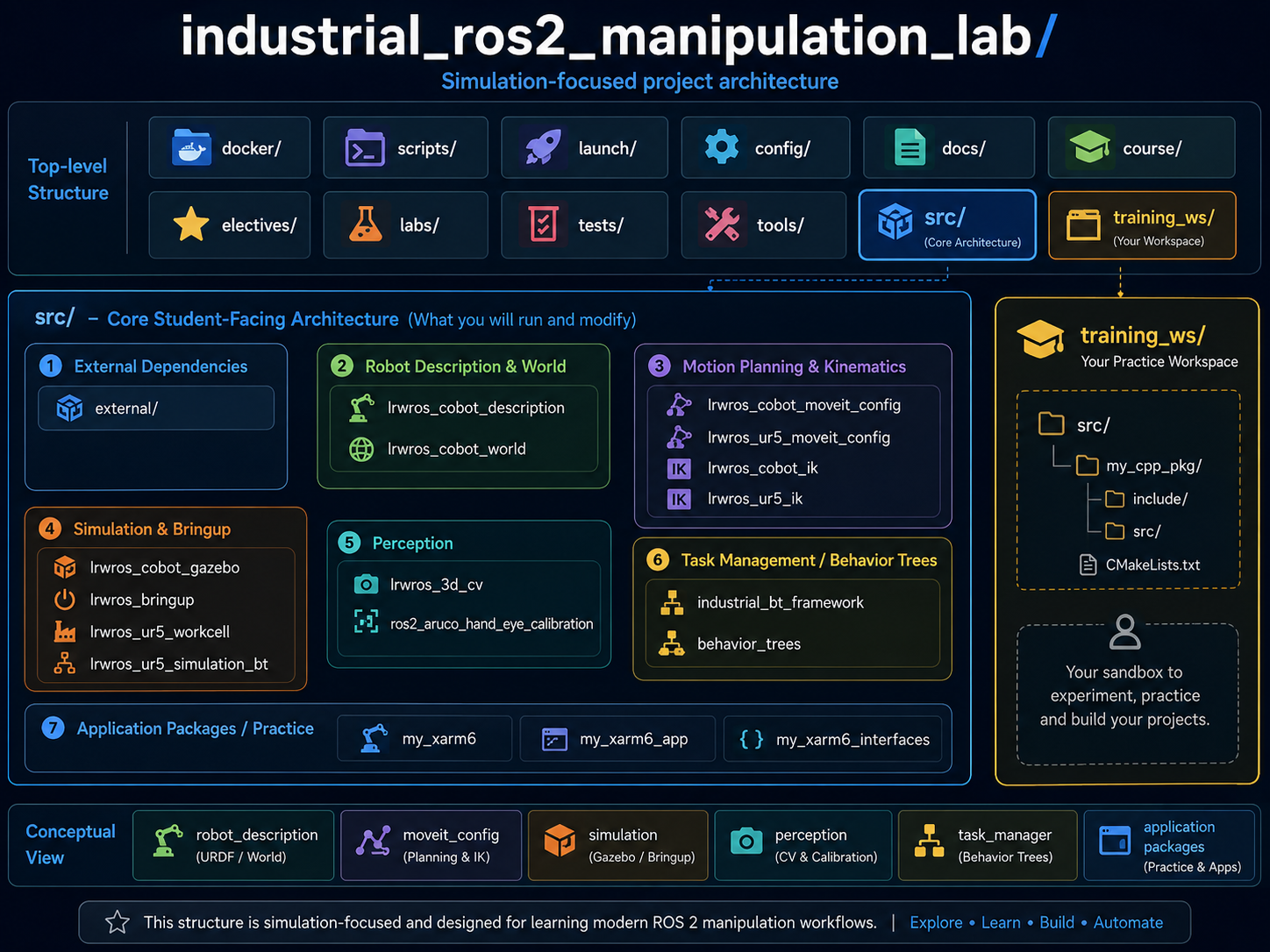
A Complete Industrial ROS2 Application Architecture
What the architecture includes:
- Docker-based development environment
- ROS2 packages and launch structure
- UR5 robot description and MoveIt2 configuration
- Gazebo simulation workcell
- Perception pipeline foundations
- Behavior Tree task architecture
- Application-level packages you can inspect and extend
- A separate training workspace for your own experiments
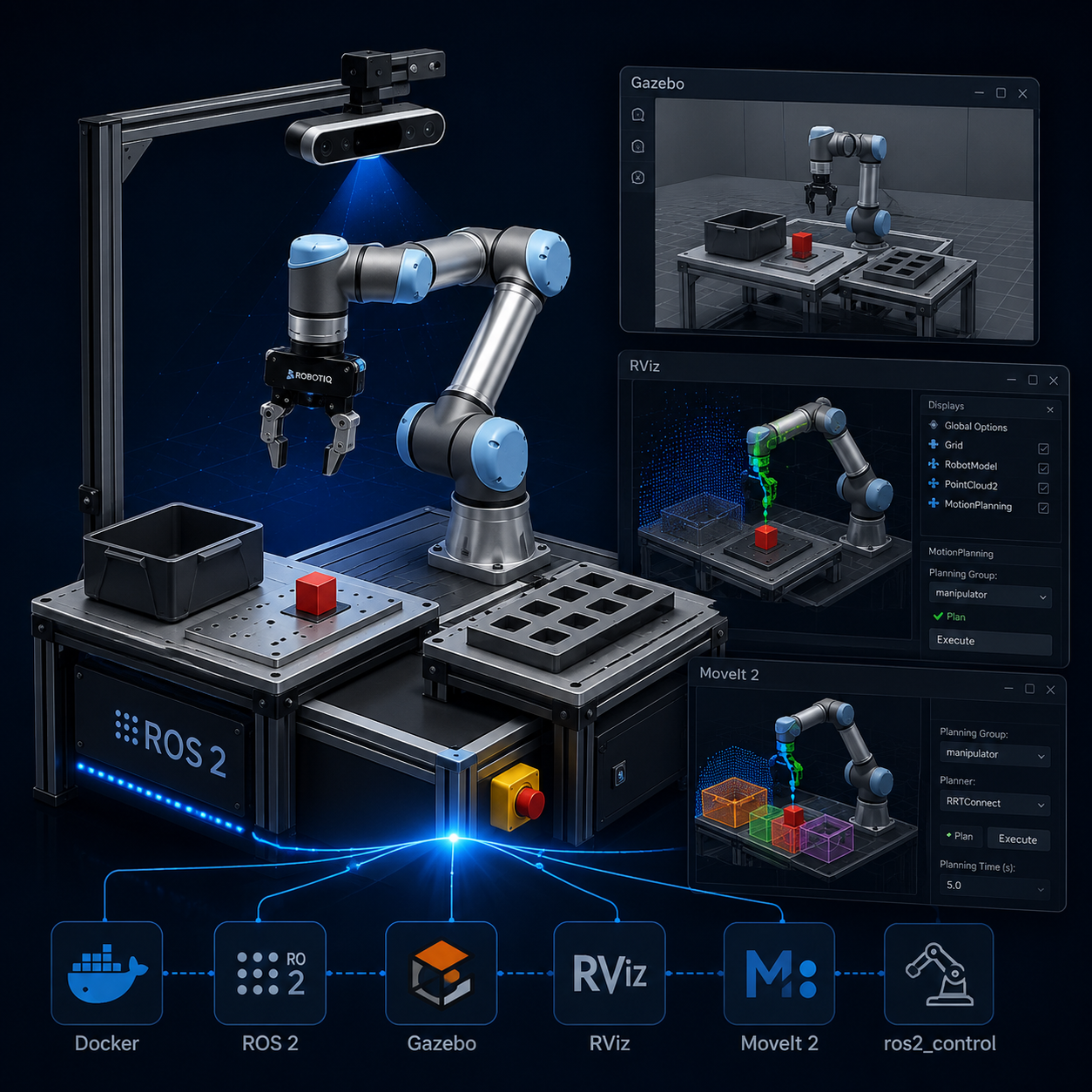
Run a Complete ROS2 Workcell
Build and launch the full Docker-based environment with Gazebo, RViz, MoveIt2, ros2_control, the robot, gripper, camera, and application nodes working together.
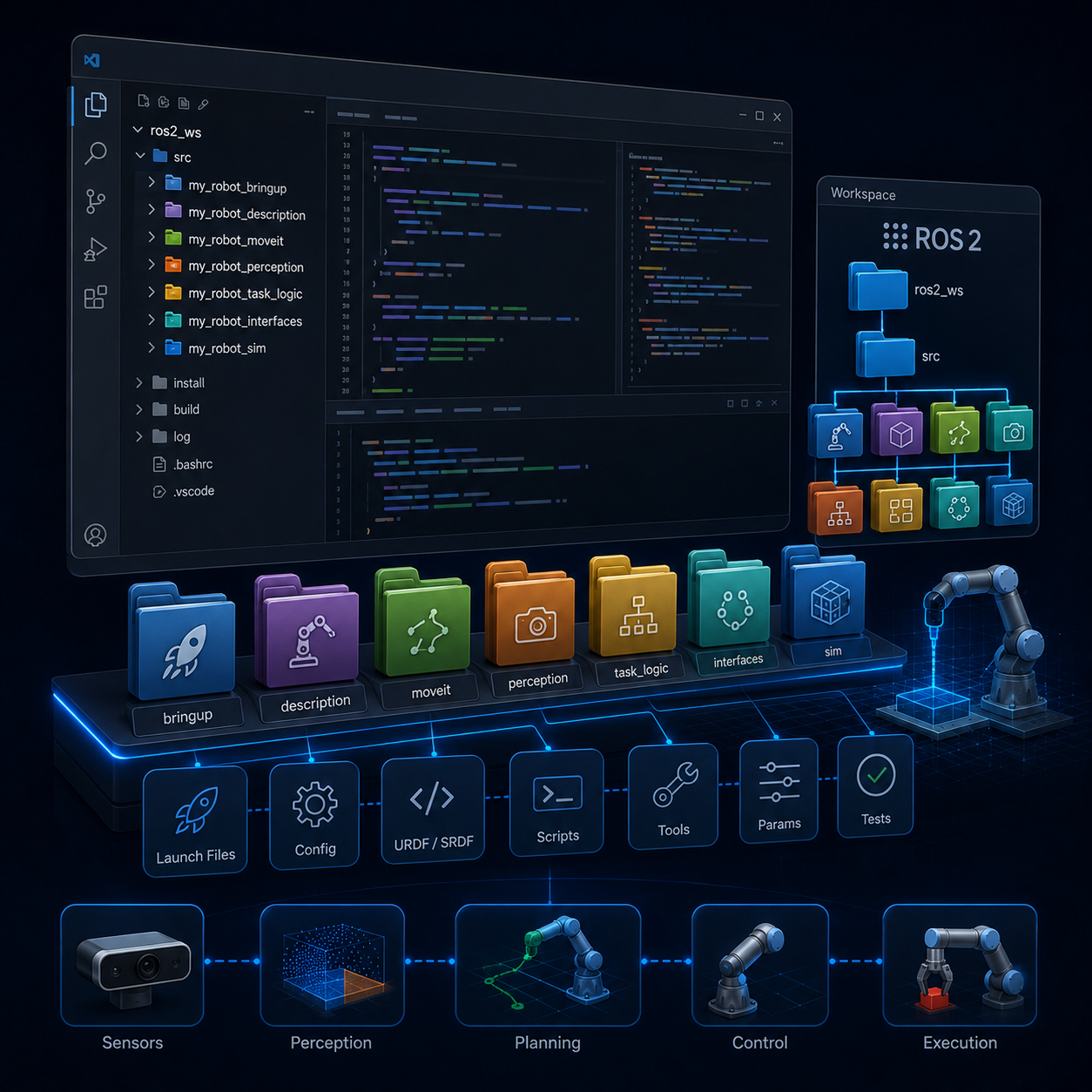
Structure a Real ROS2 Project
Understand how to organize robot description, launch files, configuration, control, simulation, perception, task logic, and application packages inside one coherent workspace.
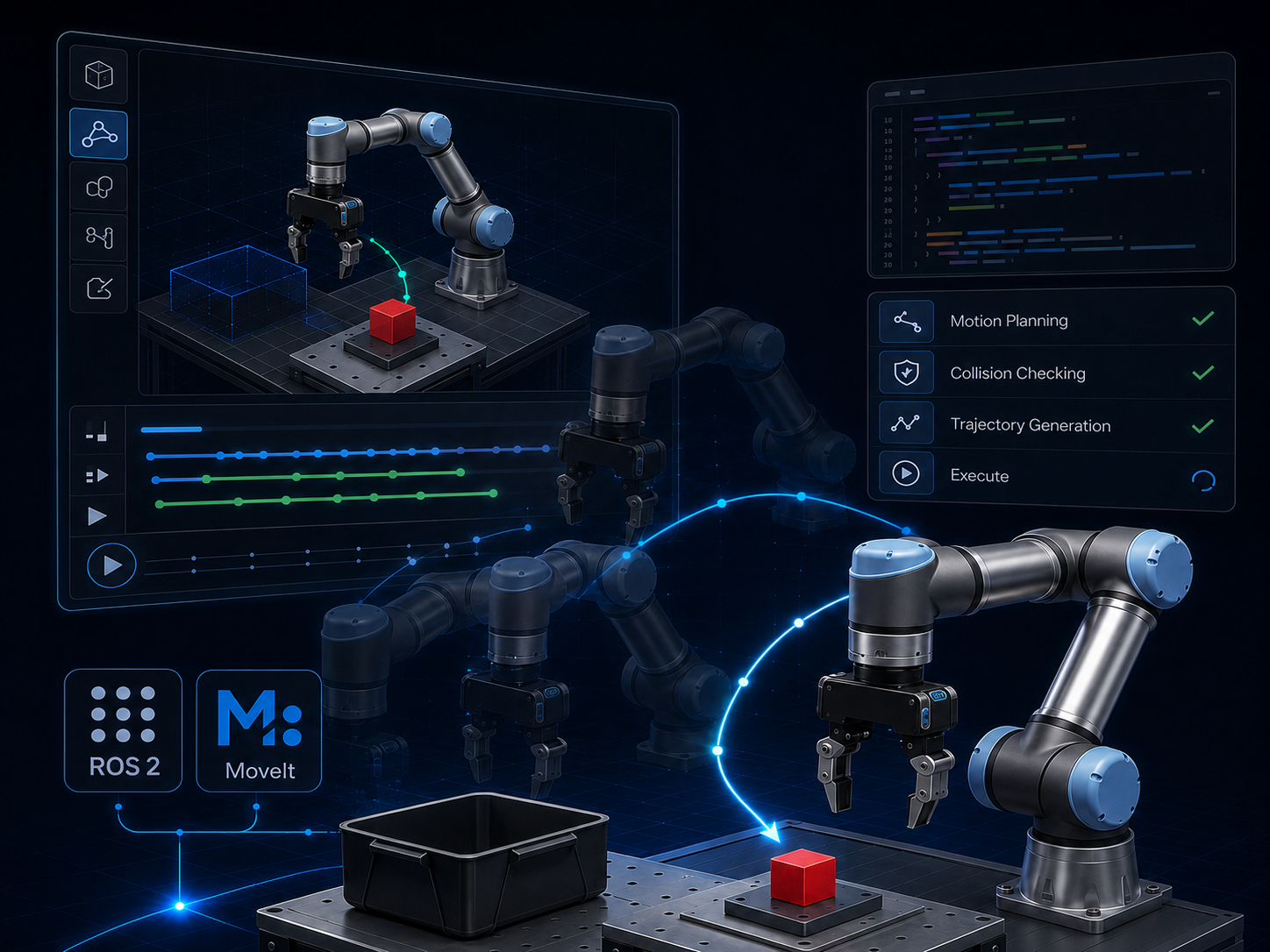
Plan and Execute Robot Motion
Use MoveIt2 and ros2_control to generate, validate, and execute manipulation trajectories while working with planning scenes, constraints, and robot states.
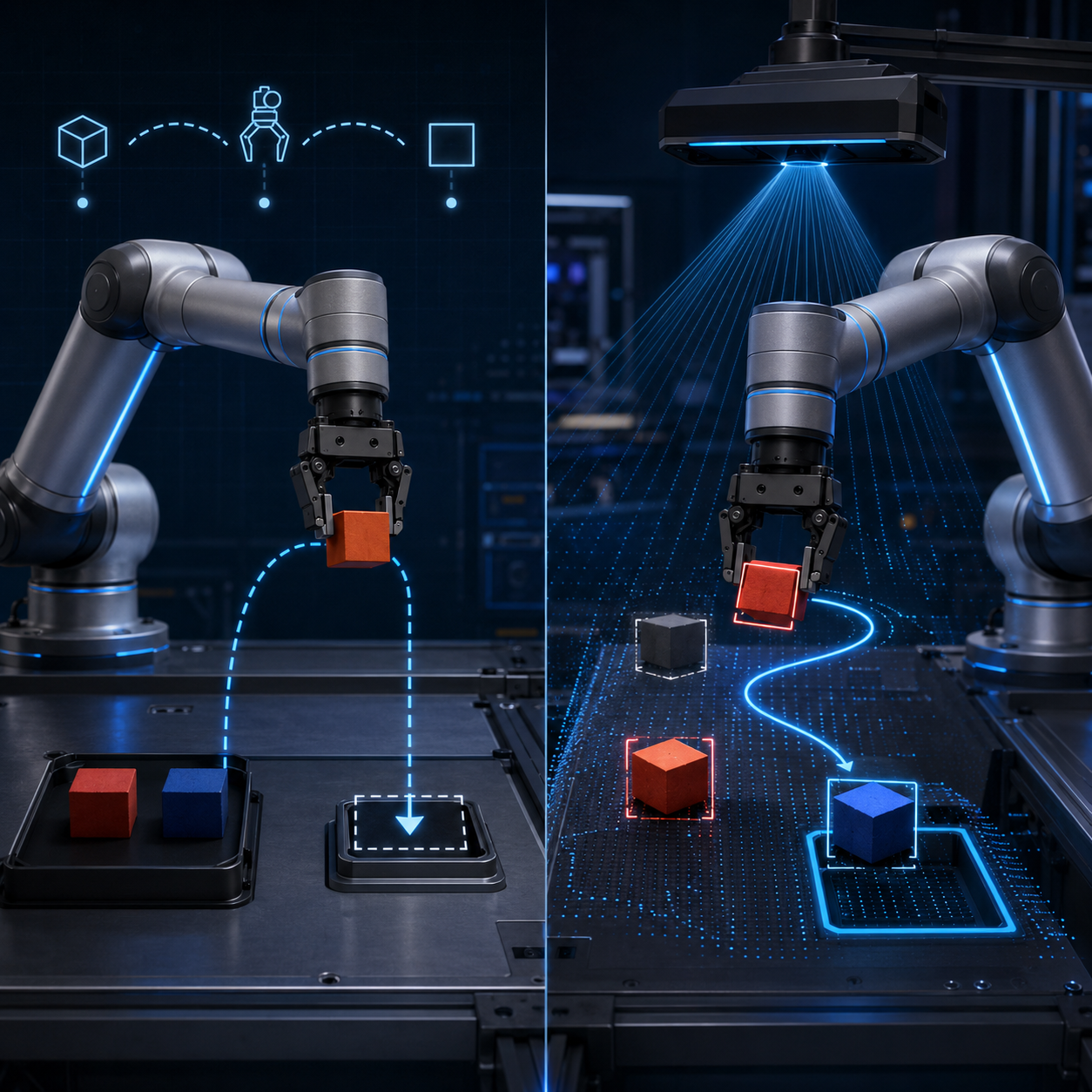
Build Blind and Vision-Guided Pick-and-Place
Move from manually triggered robot motion to complete manipulation sequences that include approach, grasp, transport, placement, and recovery logic.
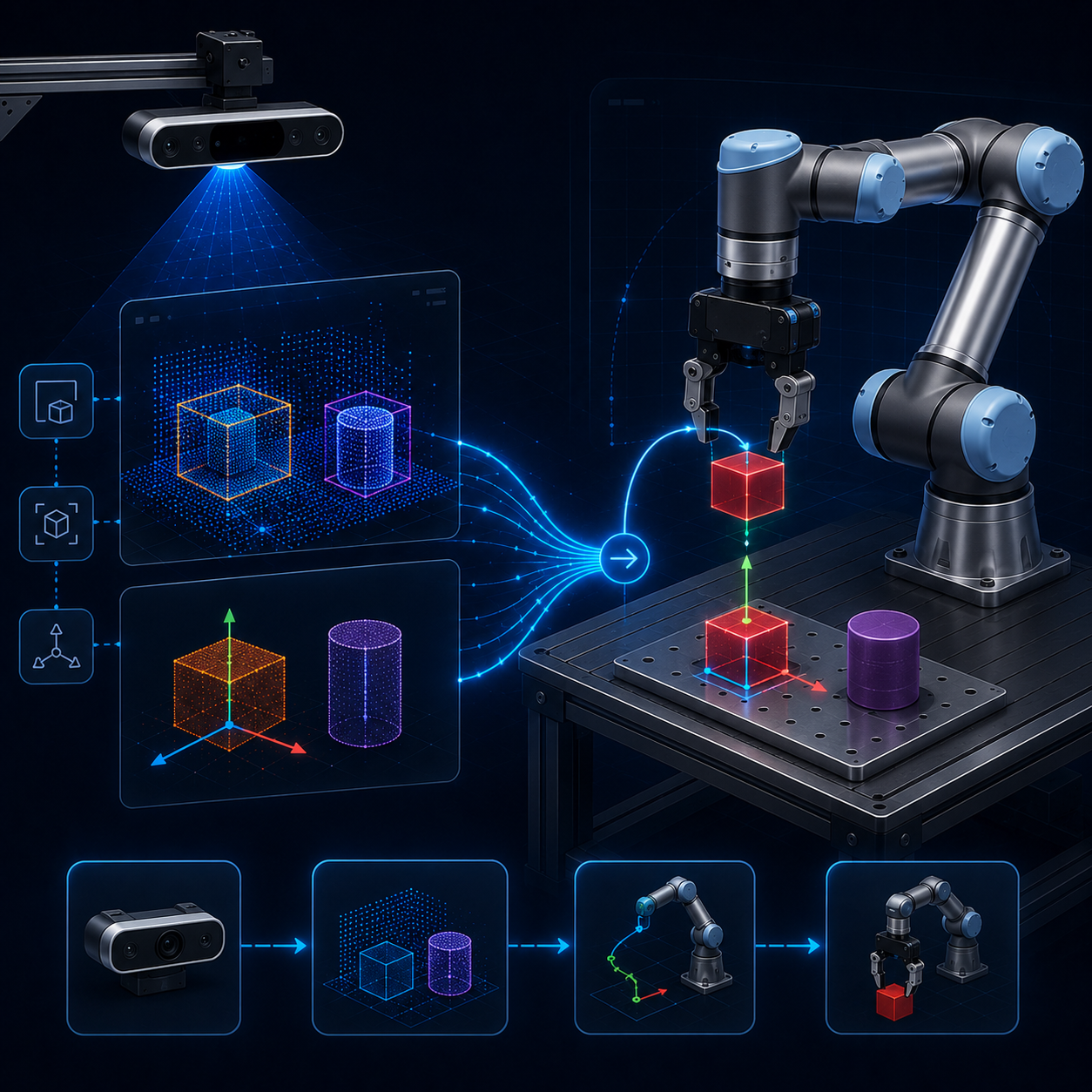
Connect Perception to Manipulation
Understand how camera data, transforms, object poses, and perception outputs enter the manipulation pipeline and influence robot motion.
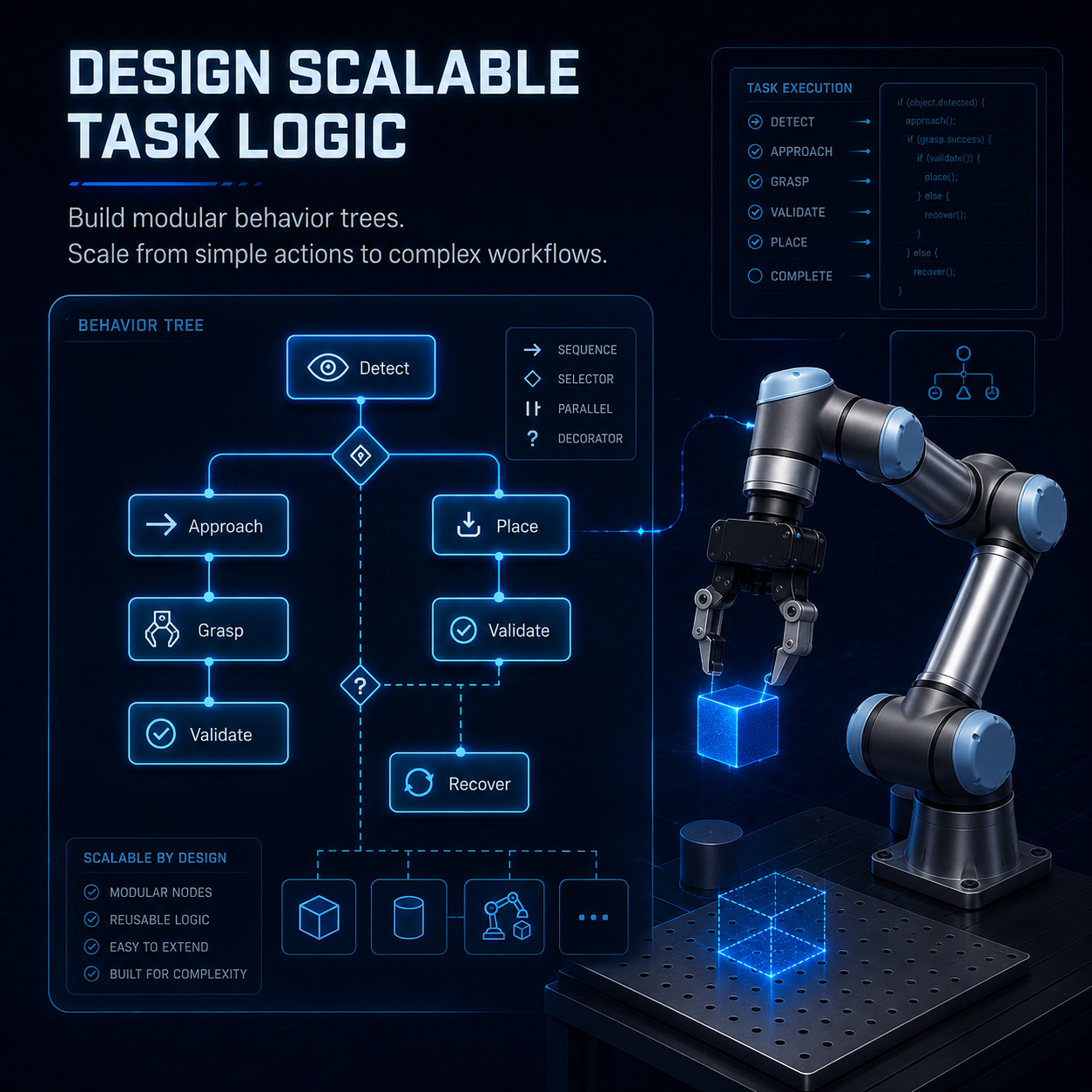
Design Scalable Task Logic
Use Behavior Trees and modular application interfaces to organize complex robot behaviour in a way that is easier to test, debug, extend, and maintain.
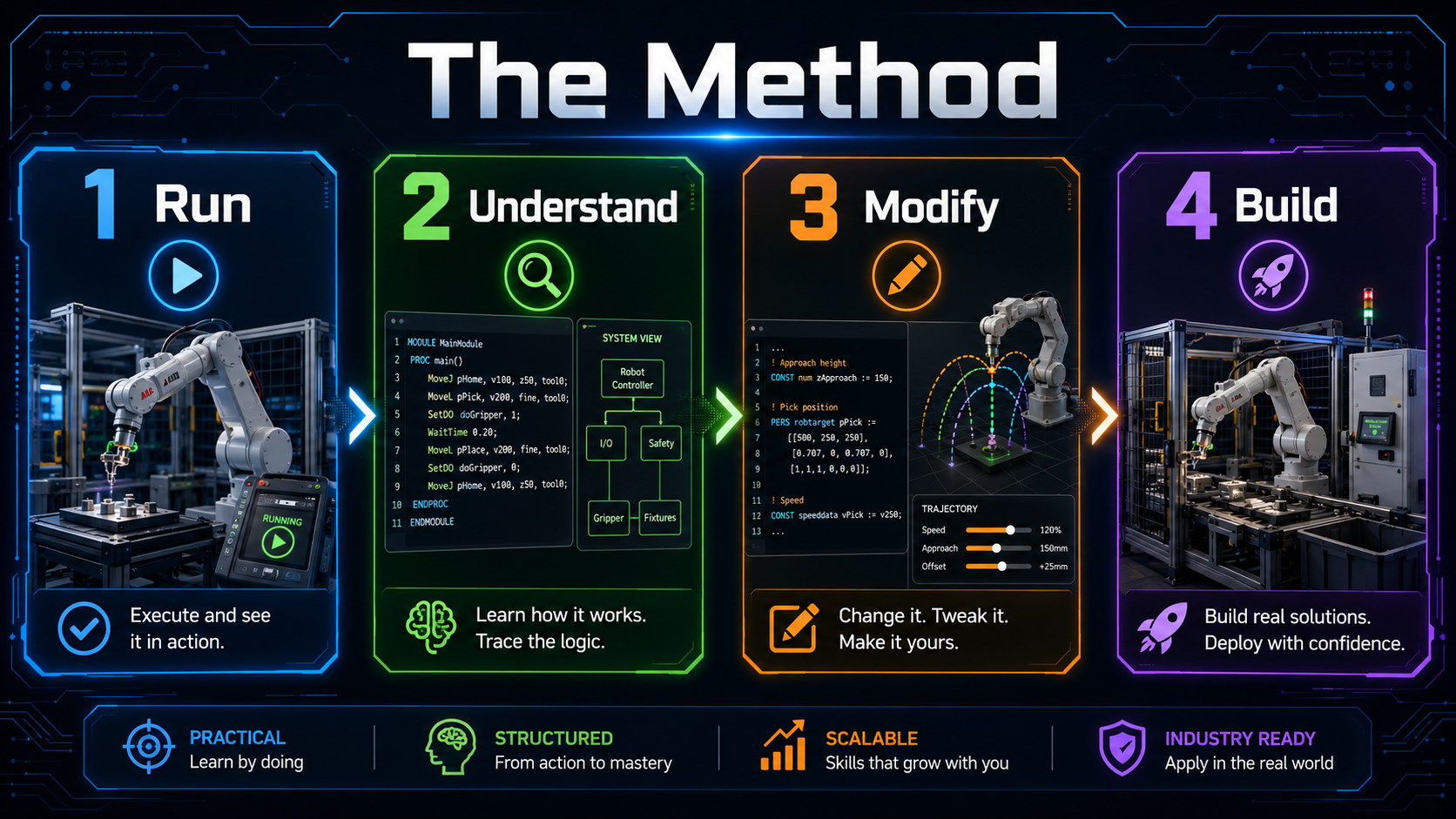
From Environment Setup to Vision-Guided Manipulation
You begin by configuring and running the Docker-based lab. You then study the ROS2 foundations used inside the project, build the simulated workcell, configure motion planning and control, develop pick-and-place workflows, integrate perception, and organize the final application with scalable task logic.
- Welcome to the Industrial ROS2 Manipulation Lab (20:05)
- Request Access to Your Private GitHub Repository
- Keeping the Lab Updated
- What Problem This Lab Solves
- What You Will Build
- How to Use This Course
- Install Docker Desktop WSL2 and VS Code on Windows 11
- Install Docker and VS Code on Ubuntu 22.04
- Clone the Repository and Run lab doctor
- Launch Your First Demo
- Troubleshooting GUI Docker Volumes
- How These ROS2 Concepts Are Used in the Lab
- Differences Between ROS and ROS2 (10:51)
- ROS and ROS2 Distributions
- Create a ROS2 Workspace (9:19)
- Create a C++ Package and Node (37:39)
- Topic Publisher/Subscriber in C++ (37:30)
- Create a Python Package and Node (30:00)
- Topic Publisher/Subscriber in Python (21:47)
- Create a Custom Interface (11:47)
- Create a Service in Python (15:38)
- Create a Service in C++ (17:55)
- ROS2 Parameters (29:57)
- Create a Launch File (30:50)
- You Do Not Need to Understand Docker First
- Why Docker for Robotics (22:32)
- What Is Docker Under the Hood (13:19)
- How to Run a Container (17:45)
- Volumes: Making Data Persistent (19:26)
- GUI Applications in Docker (12:43)
- Multi-Container Robotics with Docker Compose (33:59)
- Using Docker in VS Code (13:31)
- Common Docker Commands Cheatsheet
- Get the GitHub Repo if you are Running Locally in Ubuntu 22.04 and Use MoveIt Setup Assistant
- The Anatomy of a Blind Pick-and-Place Cycle
- Run Pick-and-Place with the UR5 and the Robotiq (8:26)
- Collision Objects, and the Planning Scene (23:37)
- Upgrading the MoveIt Config for Industrial Planners
- Cartesian Motion: Commanding the HOW (30:20)
- Choose Your Planner: PTP, LIN, and the Trap Pilz Sets
- Checkpoint: What Is Still Fragile
- Introduction to URDF (7:41)
- Strategy: Modelling a Robot Nobody Has Modelled (8:20)
- Your First Links and Joints, From Primitives (12:48)
- Visualize the Robot in RViz (13:44)
- Joint State and Robot State Publisher (10:24)
- Complete the 6-Axis Arm (19:59)
- Simplify the Model With Xacro Macros (15:05)
- Model a Gripper as End Effector (22:56)
- Make Your Packages Portable
- Inertias That Do Not Wreck the Simulation (22:01)
- The Gazebo Plugin and the ros2_control Seam (14:12)
- Spawn Your Robot in Gazebo
- ROS2 Control: Joint Group Position Controller (54:23)
- ROS2 Control: Gripper Action Controller (16:20)
- ROS2 Control: Joint Trajectory Controller (12:20)
- Send trajectory_msgs from a C++ Script (11:43)
- Create a MoveIt2 Configuration Package (55:40)
- Interface MoveIt2 with Gazebo (18:24)
- Pick-and-Place with a Custom Robot (30:27)
WHAT IS INCLUDED
Everything You Need to Run, Study, and Extend the Lab
The Simulation Track combines a complete robotics development environment with the lessons and resources required to understand how it works.
You receive the application itself, its source code, the complete simulation infrastructure, and a structured path that guides you from initial setup to vision-guided manipulation.
Private GitHub Repository
Access the complete Simulation Track repository containing the ROS2 packages, Docker infrastructure, scripts, configuration files, simulation assets, documentation, and application source code.
Docker-Based ROS2 Environment
Run ROS2 Humble, Gazebo, RViz, MoveIt2, ros2_control, and the complete workcell inside a reproducible Docker environment on Windows 11 or Ubuntu 22.04.
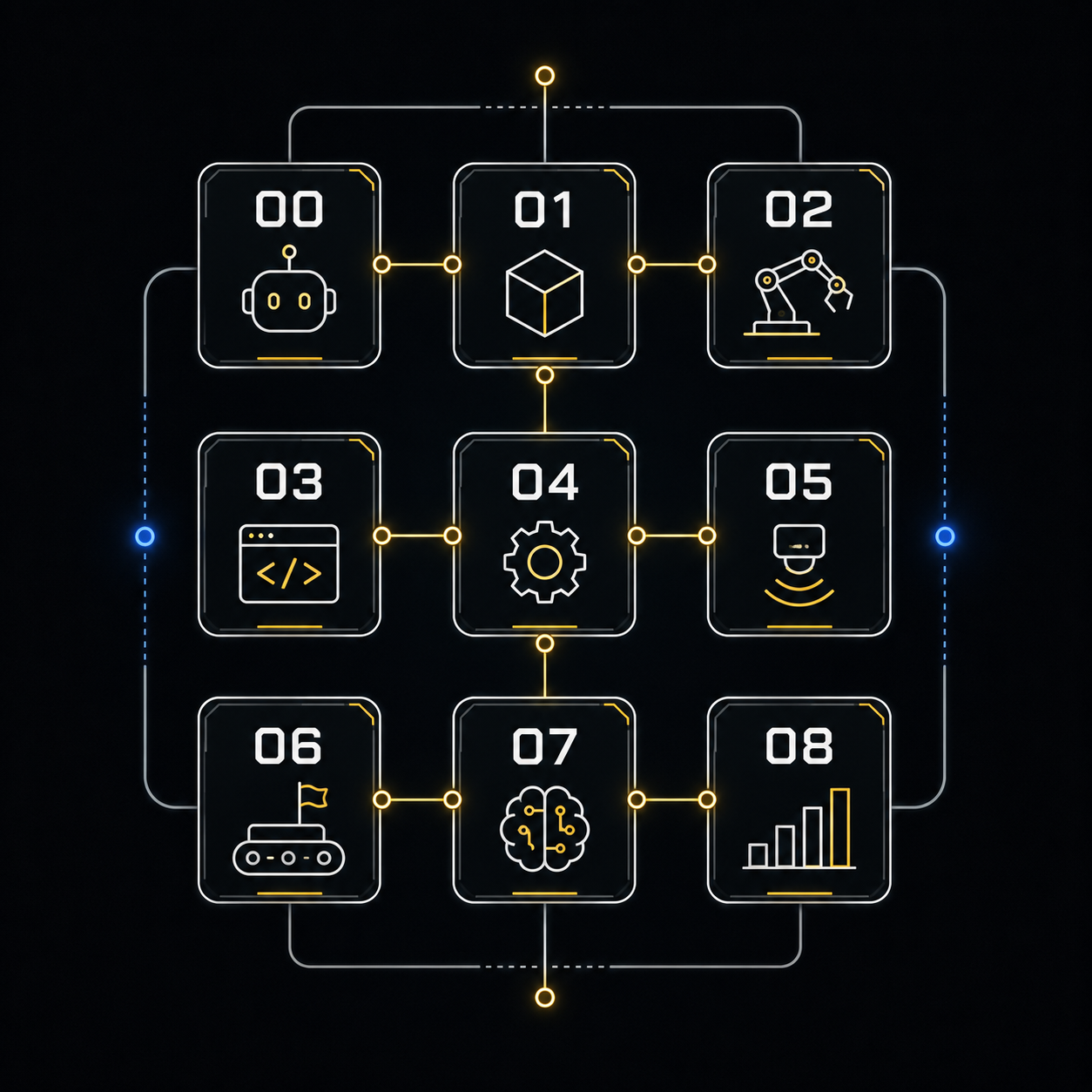
Structured Modules 00–08
Follow the complete learning path from environment setup and ROS2 foundations to motion planning, pick-and-place, perception, and Behavior Tree task orchestration.
Complete Application Source Code
Inspect working ROS2 packages for robot description, simulation, MoveIt2 configuration, perception, interfaces, workcell integration, and application-level task logic.
Your Own Practice Workspace
Experiment inside a separate training workspace where you can create packages, copy patterns, modify code, test ideas, and build your own projects without altering the original lab.
Setup Guides and Electives
Use the Windows 11 and Ubuntu setup guides, environment diagnostics, troubleshooting resources, practice instructions, and elective modules covering ROS1 concepts and custom robot or URDF integration.
One Purchase. A Complete Simulation Development Environment.
You are not purchasing access to videos alone.
You receive a complete working lab, the private source repository, the simulation infrastructure, the guided curriculum, and a safe workspace for turning what you learn into your own robotics applications.
The Simulation Track covers Modules 00–08 and simulation-focused electives. Real-robot deployment, Module 09, and the xArm6 + LLM elective are available in the Full Track.
WHO THIS TRACK IS FOR
Built for Learners Who Want to Move Beyond Tutorials
The Simulation Track is designed for people who already understand the basic idea of ROS or ROS2 and now want to learn how a complete manipulation application is structured, integrated, and extended.
This Is for You If You:
• Are a robotics, automation, mechatronics, computer science, or engineering student
• Are learning ROS2 but still struggle to connect simulation, control, motion planning, perception, and task logic
• Have followed tutorials but do not yet have a complete reference architecture
• Want to build practical skills with ROS2 Humble, MoveIt2, Gazebo, ros2_control, Docker, perception, and Behavior Trees
• Want a working project that you can inspect, modify, and use as a foundation for your own applications
• Prefer learning by running a complete system first and understanding it progressively
• Use Windows 11 or Ubuntu 22.04 and want to avoid a fragile native ROS2 setup
• Want to prepare for robotics software engineering roles, university projects, research work, or industrial automation applications
This Is Not for You If You:
• Are looking only for a short theoretical introduction to ROS2
• Expect a fully managed cloud simulator with nothing to install or configure
• Want someone else to complete your assignments or build your project for you
• Are not comfortable using a terminal, Git, Docker, and source code
• Want only real-robot deployment without first understanding the simulation architecture
• Expect private one-to-one engineering support to be included with the course
• Want a no-code robotics platform
• Are not prepared to experiment, debug, and modify working code
You Do Not Need to Be an Expert
You do not need advanced professional experience in ROS2 manipulation.
However, you should be comfortable using a computer, following terminal commands, reading basic code, and learning through practical experimentation.
The lab gives you the working architecture. Your job is to explore it, understand it, and progressively make it your own.
Frequently Asked Questions
Do I need to install ROS2 on my computer?
No. The Simulation Track runs inside a Docker-based ROS2 Humble environment. On Windows 11, you will use WSL2 and Docker Desktop. On Linux, the supported reference environment is Ubuntu 22.04.
Do I need a real robot?
No. The complete Simulation Track can be followed without owning any robotics hardware.
The robot, gripper, camera, workcell, motion planning, perception, and task logic run in simulation.
What prior experience do I need?
You do not need to be an advanced ROS2 developer.
You should be comfortable following terminal commands, and be willing to read and modify source code.
How do I receive the private GitHub repository?
After enrolling, complete the GitHub access form in Module 00 using your purchase email and exact GitHub username.
Requests are reviewed manually and are normally processed within 24 hours.
Is this a subscription?
No.
The three-payment option is a fixed payment plan of three monthly payments. It does not renew after the third payment.
The one-time option consists of a single €199 payment.
Is one-to-one support included?
No private one-to-one engineering support is included.
The product is self-paced and includes the complete lab, structured lessons, setup guides, troubleshooting resources, and community access.
What is not included in the Simulation Track?
The Simulation Track does not include Module 09, real-robot deployment, Jetson and RealSense hardware integration, or the xArm6 + LLM elective.
Those components are included in the Full Track.
READY TO MOVE BEYOND TUTORIALS?
Start with a Working ROS2 Manipulation System
Run the complete lab. Understand how every layer works. Modify the application safely. Build your own manipulation projects from a proven architecture.
Get immediate access to the Simulation Track and start building on Windows 11 or Ubuntu 22.04.